Phones Without Internet for Kids: Flip Phones, Kid Phones and What You Give Up

A ten-year-old starts walking home from school with two friends, and the family wants one thing: a way to call and text, without a browser, an app store or a feed that follows the child to bed.
A phone for kids with no internet is usually a basic flip phone, a kid phone built without a browser or an app store, or a cellular kids’ smartwatch. Each one blocks the open internet in a different way, and each one takes something away, usually group chats and school apps.
Key Takeaways
- A phone for kids with no internet is usually a basic flip phone, a kid phone built without a browser or app store, or a cellular kids’ smartwatch.
- A flip phone is not automatically internet-free: some models, such as the TCL Flip 4, come with a web browser and email.
- Without internet, a child keeps calls and texts but cannot install school apps, and group chats with iPhone friends may lose photos or split replies.
- Parents can see a child’s location without a smartphone through a kid phone’s parent app, a carrier service or a cellular smartwatch.
- When a child needs school apps or group chats, a regular smartphone with Kids360 can block new apps and adult websites, turn off internet inside selected apps and lock distractions during school and sleep.
Table of Contents
What Phones Have No Internet for Kids?
Phones with no internet for kids fall into three groups: kid phones built without a browser, basic flip phones and kids’ smartwatches. Starter smartphones are a fourth option: the internet is off by default, but parents can turn it on later.
A kid phone is designed for children from the start. Gabb states that the Gabb Phone 4 “is not capable of accessing the internet and has no internet browsers or social media apps,” and it has no app store. A basic flip phone, often called a “dumb phone,” is the cheapest route, but the label does not promise zero internet: the TCL Flip 4, which launched in the US at an MSRP of $79.99, runs KaiOS 4.0 with an email app and a web browser. The American Academy of Pediatrics suggests that parents “see if your phone carrier has a flip phone model that allows calls and texts only.”
| Option | Internet out of the box | Group chats with iPhone friends | School apps | Location for parents |
|---|---|---|---|---|
| Basic flip phone | Depends on the model; some include a browser | By SMS or MMS | No | Through the carrier |
| Kid phone without internet | None | By SMS or MMS, depending on the plan | No | In the phone maker’s parent app |
| Kids’ smartwatch | No browser | Limited to the watch’s messages | No | In the watch’s family app |
| Starter smartphone | Off by default | Possible once apps are allowed | Possible once apps are allowed | In the parent app |
| Regular smartphone with parental controls | Limited by the parent’s settings | Yes | Yes | Through built-in tools or an app |
Is There a Phone That Only Texts and Calls for Kids?
Yes. Kid phones and some basic flip phones only call and text. Wait Until 8th, a parent pledge to delay smartphones until the end of 8th grade, puts it simply: “If the answer is calling and texting, consider a basic phone, flip phone, or kids’ smartwatch first.” Before buying, parents should check three things on the spec sheet: a web browser, an email app or app store, and whether picture and group texting are included. Gabb, for example, includes image and group texting in its Standard plan.
What Should a Durable, Cheap Phone for a Clumsy Kid Have?
A durable phone for a clumsy kid should have a rugged rating, and a cheap one should run on a talk-and-text plan without data. An IP68 rating means the phone is completely dust-resistant and “can handle continuous immersion, up to a certain depth,” and MIL-STD-810 is a set of lab tests that manufacturers use to show durability. Rugged flip phones such as the Sonim XP3plus carry both. Some carriers sell talk-and-text lines that block data: Charity Mobile’s Talk/Text Only lines restrict cellular data except for picture messages and system updates, which also keeps a flip phone off the internet even if it has a browser.
How Is a Kid Phone Different From a Flip Phone or a Starter Smartphone?
A kid phone has no internet and comes with a parent app, a flip phone is a general-purpose phone that may or may not have a browser, and a starter smartphone is a full smartphone with the internet off until a parent allows it. A kid phone suits a child who will only need calls, texts and location for several years. A flip phone costs less but was not designed with children in mind. A starter smartphone grows with the child: Troomi says its phones “do not include open internet access” by default, and parents can add approved websites later, so the safety depends on what parents switch on. Our guide to the best phones for kids compares specific models.
What Do Kids Give Up With a Flip Phone Instead of a Smartphone?
The main downsides of giving a 12-year-old a flip phone instead of a smartphone are group chats, school apps, music streaming and maps. Calls and one-to-one texts keep working. The gap grows with age: roughly six in ten parents of 11- and 12-year-olds told Pew Research Center in 2025 that their child has a smartphone.
- Group chats. Since iOS 18, iPhones can use RCS with non-Apple phones, and in a group RCS chat everyone can send high-resolution photos and videos, if the carrier supports it. Otherwise the group goes by MMS or SMS, and Apple notes that group SMS does not support photos or videos and that each reply arrives as a separate text. Parents should test a family group chat before the phone is handed over.
- School apps. Google Classroom runs on Android and iOS devices, so a flip phone cannot install it. A laptop or family tablet usually covers school work.
- Sign-in codes. A basic phone can receive two-step verification codes “in a text message or a voice call,” although Google warns that such codes can be vulnerable to phone number-based hacks.
Can You Track a Child’s Location Without a Smartphone?
Yes, but not with apps such as Life360, which a flip phone cannot install. Kid phones track location in their own parent apps: Gabb notes that GPS location updates approximately every 15 minutes. Carriers offer network-based location for phones that cannot run a companion app: Verizon Family Plus, which costs $14.99 a month with legacy plans, can show “the device’s network location,” though accuracy may vary with network coverage. A cellular smartwatch set up through Apple Watch For Your Kids can also share its location.
Is a Flip Phone or a Smartwatch Better for a 10-Year-Old?
For a 10-year-old who walks to school with friends, a smartwatch is easier to keep track of, while a flip phone is better for longer calls and texting. Both cover safety check-ins without internet. Age shapes the choice: in the Common Sense Media 2026 census, smartphone ownership nearly doubled from age 9 (24%) to age 10 (47%), and 68% of parents told Pew that children should be at least 12 before getting a smartphone.
Which Kids’ Smartwatches Have a Physical SOS Button?
The Gabb Watch 3e and a cellular Apple Watch both have a physical SOS button, and the Gizmo Watch 4 has an SOS feature, but they work differently. Gabb’s SOS button calls the parent or guardian the family chose, and Gabb states that “it does not call 911 or emergency services.” On an Apple Watch, holding the side button starts an emergency call, and afterward the watch texts the child’s location to emergency contacts. Verizon’s advice fits any watch: let the child practice the SOS feature before it is needed.
Is There a Kids’ Smartwatch That Doesn’t Look Childish?
A cellular Apple Watch is the usual answer, because it is the same watch adults wear. Through Apple Watch For Your Kids, a child without an iPhone can call, message and share location; it needs an Apple Watch SE or later with cellular. Our guide to the best smartwatches for kids compares models in more detail.
Should You Buy a Gabb or Bark Phone or a Cheap Android With Parental Controls?
A no-internet kid phone such as a Gabb fits when the goal is calls and texts for the next few years. A starter smartphone such as the Bark Phone suits a child who will need more within a year. A cheap Android phone with parental controls fits a child who already needs school apps, group chats or an app for a club or sport, and it does not need a second purchase later.
On a smartphone, the risk sits in two places. Wait Until 8th says: “Most smartphone problems come from the internet browser and the app store.” Built-in controls can close both. On an iPhone, Screen Time manages the apps and websites a child can access, and as of November 2026 Ask to Buy and Ask to Browse are on by default for children under 13. On Android, Google Family Link can limit the apps a child downloads from Google Play and filter sites in Chrome. On a cheap Android phone, Kids360 adds a block on new app downloads and school and bedtime schedules with a subscription. Our guide How to Set Up Parental Controls on Your Child’s Phone walks through the first-day setup.
Can a Kid Have an Android Phone If the Rest of the Family Uses iPhones?
Yes. Messages, parental controls and location sharing all work between Android and iPhone:
- Messages. iPhones with iOS 18 send RCS messages to Android phones, with high-resolution photos, videos and group chats, as long as the carrier supports RCS on iPhone.
- Parental controls. Google Family Link has a parent app for iPhones with iOS 16 or later and supervises a child’s Android phone. Kids360 works the same way: a parent with an iPhone can set a daily screen time limit and see the child’s location for free, and with a subscription can block new app downloads and set schedules.
- Location. Google Maps location sharing runs on both Android and iPhone; the person receiving the location needs a Gmail account.
How Kids360 Helps Keep a Smartphone Offline Where It Counts
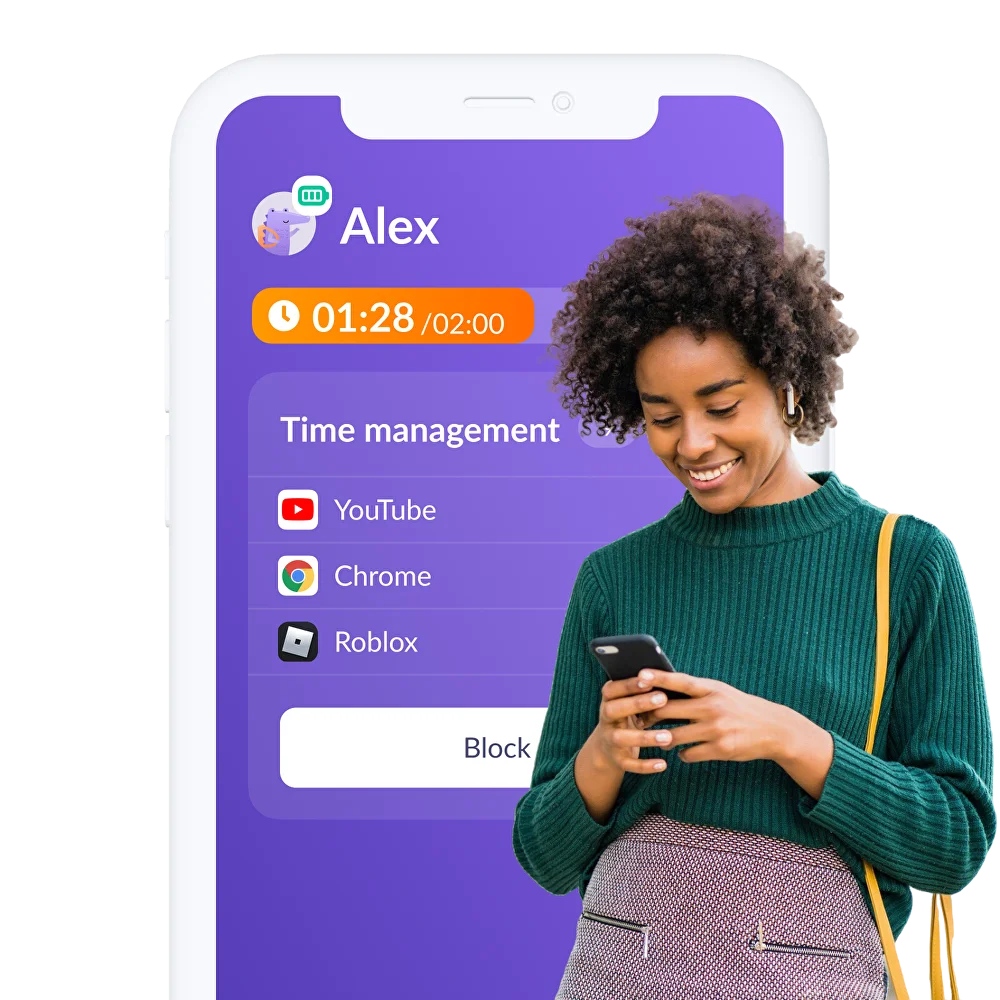
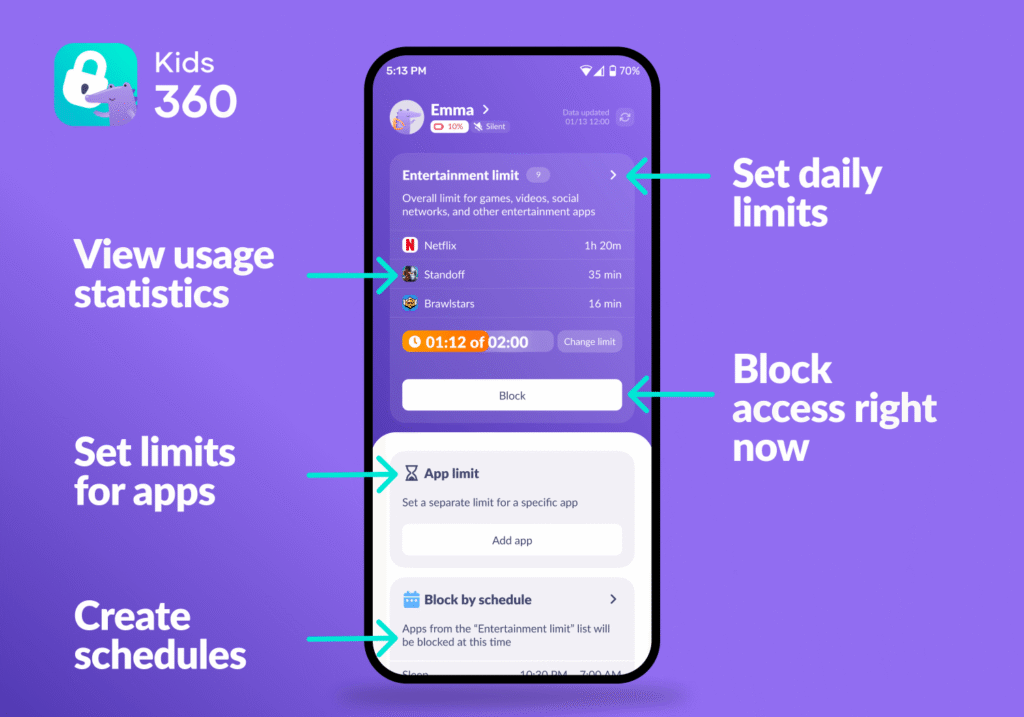
Kids360 lets parents give a child a regular smartphone and keep the parts of the internet they worry about switched off. The parent installs Kids360, the child’s phone runs the Alli360 app, and the two are linked with a code. The child keeps calls, messages, school apps and maps, which a kid phone without internet cannot offer.
Close the App Store and the Browser
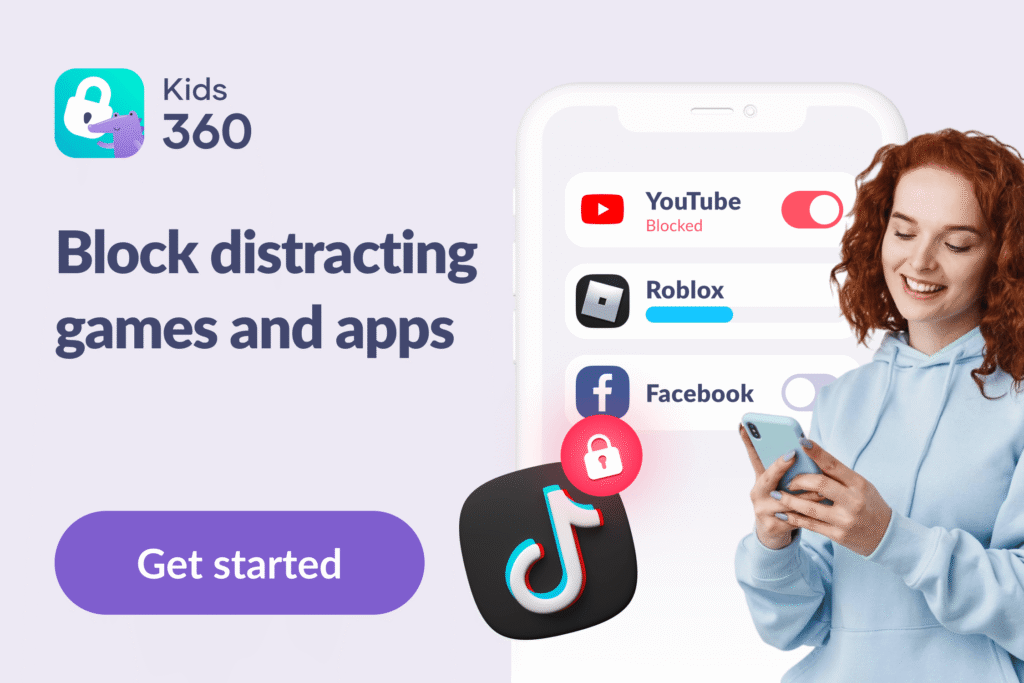
With a Kids360 subscription, parents can block new app downloads on Android phones and block adult websites on iPhones, which covers the risks a flip phone was meant to avoid.
Turn Off Internet Inside Selected Apps
Some apps are fine offline and a problem online, such as a game with a chat. Kids360 can turn off internet access inside the apps a parent selects, so the child can still open them without reaching strangers or endless feeds.
Lock Distractions During School and Sleep
Schedules block the apps a parent selects during school hours and at night, while calls and the apps left off the list stay available.
Know Where Your Child Is
Kids360 shows the child’s location on a map in the free version, so parents can check that a child reached school without calling in the middle of class.
Kids360 does not read a child’s messages or decide which friends they can text. It controls which apps and websites are available and when, so the conversation about the first phone stays about rules, not surveillance.
Download Kids360 for free and set up the first-phone rules together with your child before the phone comes out of the box.
Start With What the Phone Has to Do
The right phone depends on the job it has to do over the next year:
- Calls, texts and location only. A kid phone or a cellular smartwatch covers this with no internet at all.
- Calls and texts on a budget. A basic flip phone works if the spec sheet shows no browser, email or app store.
- School apps or group chats within a year. A starter smartphone or a regular smartphone with parental controls fits better, with the browser and app store locked until the child is ready.
Sources & References
- Gabb Phone 4, Gabb Wireless, 2026
- Gabb Watch 3e, Gabb Wireless, 2026
- Kids Phone with Parental Controls, Troomi Wireless, 2026
- TCL Flip 4 Takes On Nokia 2660 Flip With 15-Day Battery Life and KaiOS, Notebookcheck, 2025
- Sonim XP3plus, Sonim Technologies, 2026
- IP68 and MILSPEC: How They Protect Your Smartphone Investments, Samsung Business Insights, 2020
- Charity Mobile Plans, Charity Mobile, 2026
- Send a Group Text Message on Your iPhone or iPad, Apple, 2026
- What Is the Difference Between iMessage, RCS, and SMS/MMS?, Apple, 2026
- Set Up Parental Controls to Manage Your Child's iPhone or iPad, Apple, 2026
- Set Up Apple Watch for a Family Member, Apple, 2026
- Use Emergency SOS on Your Apple Watch, Apple, 2026
- Get Started With Family Link, Google, 2026
- Chrome and Your Child's Google Account, Google, 2026
- Manage Your Child's Google Play Apps, Google, 2026
- Get the Classroom App, Google, 2026
- Turn On 2-Step Verification, Google, 2026
- Share Your Real-Time Location With Others in Google Maps, Google, 2026
- Verizon Family FAQs, Verizon, 2026
- Smartwatch for Kids Starter Kit With Gizmo Watch 4, Verizon, 2026
- How Parents Manage Screen Time for Kids, Pew Research Center, 2025
- Half of Tweens and Teens Use Social Media and AI Chatbots Built for Older Users, Common Sense Media, 2026
- Best First Phones for Kids: Safe Smartphone Alternatives, Wait Until 8th, 2026
- Appropriate Age to Introduce a Mobile Device, American Academy of Pediatrics, 2026