Think Before the Click: How to Help Kids Avoid Online Scams

Your child sees a message promising 10,000 free game coins. All they have to do is “log in” to claim them. What could go wrong? Teaching children how to avoid online scams means helping them recognize suspicious offers and understand when to pause and ask an adult before clicking a link.
Key Takeaways
- A message promising free game currency is a reason to pause and show it to an adult before opening any links.
- Passwords, login codes, card details, and home addresses should stay private, even when a message appears to come from someone familiar.
- When an unexpected account warning arrives, children should open the official app or website themselves instead of following the link in the message.
- Kids360 helps parents manage access to apps and websites where children may encounter suspicious offers or unknown contacts.
- If a child has already clicked a suspicious link, stay calm, find out what information was shared, secure the affected account, and report the scam.
Table of Contents
How Common Is Online Fraud?
Online fraud affects every age group, including children and teenagers. The FBI’s 2025 Internet Crime Complaint Center received 31,254 complaints from people under 20, with reported losses of more than $67 million.
According to the Federal Trade Commission, consumers reported losing about $16 billion to fraud in 2025. Nearly one in three reports involved someone impersonating a trusted person, business, bank, or government agency.
Social media has also become an important route for online fraud. The FTC found that almost 30% of consumers who reported losing money to a scam in 2025 said it began on social media. Reported social media losses reached $2.1 billion.
These are only reported incidents, but they show why families should discuss fraud before the first strange message arrives.
Why Children Can Be Drawn Into a Scam
Children are not fooled because they are careless. Recognizing a scam often means stopping an emotional reaction, questioning what a message says, and thinking through what might happen next. These skills are still developing during childhood and adolescence. Brain systems involved in planning, impulse control, and weighing consequences continue to mature into early adulthood. That can make it harder for young people to pause when a message promises an exciting reward, creates fear, or puts them under pressure.
- Curiosity and rewards. A free skin, rare game item, or large discount can be hard to ignore, especially on a platform the child already uses.
- Urgency. Messages such as “claim this in ten minutes” create pressure. Most scams rely on urgency because slowing down leaves more time to notice problems.
- Authority and impersonation. Fraudsters may pretend to represent a school, game developer, company, bank, or technical-support team. A familiar logo or convincing caller ID is not proof that the contact is genuine.
- Social pressure. A message may appear to come from friends, a creator, or a family member. The sender may have copied a profile or taken control of a real account, so unusual requests should be verified another way.
The FTC’s guidance for parents highlights four common tactics: a problem, a prize, pressure, and an unusual payment request. Recognizing them can help a child pause.
Common Fraud Tactics That Target Children
Different schemes often use the same tactics. The table shows what a child may see and what the sender wants.
| Type of Scam | What a Child May See | What the Scammer Wants |
|---|---|---|
| Fake giveaway | Free game currency, devices, skins, or prizes | Login details, a payment, or personal data |
| Smishing | A text message about a delivery, prize, or account problem | A click, reply, or private information |
| Tech-support scam | A warning that a phone or computer has a virus | Money, software installation, or remote access |
| Gaming scam | A rare item, free currency, or off-platform trade | Account access, virtual items, or money |
| Phishing email | An urgent warning and copied login page | Passwords or financial information |
| Fake website, app, or store | Large discounts and copied branding | Payment details, downloads, or personal data |
| Impersonation | A message from a copied friend or company account | Money, codes, images, or account information |
| Payment scam | A request for an in-app purchase or unusual payment | Payment details or money |
One message may fit several categories. A giveaway, for example, may lead to phishing that collects a password and credit card number.
Giveaways and Gaming Scams
Scammers often use children’s interest in online games to lure them with promises of free game currency, rare items, skins, or exclusive rewards. A giveaway may ask a child to complete a survey, download an app, visit an unofficial website, or enter their account details to claim a prize. These offers can lead to stolen accounts, unwanted downloads, or the loss of personal information.
A child searching for “free Robux” may land on a giveaway page that asks for their Roblox password. Roblox’s official fraud guidance makes the rule clear: free Robux offers are not sanctioned, and players should not enter their login details on giveaway pages.
A July 2026 case reported by WRDW/WAGT shows how a seemingly harmless game download can put an entire family at risk. A teenager in Georgia clicked a Discord link that appeared to offer a Roblox add-on. Instead, a hacker gained remote control of his computer, accessed his accounts, and found the family’s home address. The attacker later used that information to make false emergency calls to the family’s home. The incident is a reminder that unofficial game add-ons and downloads can carry serious risks.
Smishing and Phishing Emails
“Smishing” is phishing sent through text messages. The message may claim that a delivery failed, a prize is waiting, or an account needs immediate attention. Phishing emails use similar stories and often direct the recipient to a copied sign-in page.
It may request passwords, account numbers, a Social Security number, or bank account details. Sharing them can lead to identity theft, unauthorized purchases, or loss of the profile.
In February 2026, a phishing email targeting students in Michigan’s Livonia Public Schools promised $300 a week for remote work. The link led to a Google Form requesting personal and banking information. The message was sent through a compromised school staff account, which made it appear more trustworthy. The case shows why children should be cautious even when an email seems to come from someone connected to their school.
Tech-Support Scams
A pop-up may claim that an electronic device or computer is infected. The person answering may request remote access, demand payment for unnecessary software, or install malware on the computer.
The FTC explains that real security pop-ups do not ask consumers to call a phone number. Parents can help children recognize these warnings by explaining that they should never call the number shown or click links in a pop-up. The warning should be closed, and the device checked using trusted security software.
Copied Websites, Apps, and Online Stores
A pair of popular headphones is advertised at less than half its usual price. At first glance, the store looks genuine, but the brand name in the web address is misspelled, and there is no clear returns policy. Fake shopping sites often copy a real company’s logo, photos, and product descriptions to win a buyer’s trust.
Before purchasing anything, parents can help children check the web address against the company’s official site, look for independent reviews, and verify that the business provides genuine contact and returns information. A padlock beside the address shows that the connection is encrypted, but the FTC cautions that it does not prove the store or seller is legitimate.
Impersonation and Stolen Profiles
Someone may copy another person’s photograph and name, or take over a real account. The new “friend” might ask for money, a verification code, personal photographs, or help with an invented emergency.
Children should confirm the story another way. A quick call to the person or family member can expose impersonation before anything is shared.
In February 2026, CBS Pittsburgh reported that an 18-year-old Pennsylvania student was charged with catfishing and exploiting at least 21 teenage boys. Police said he used fake social media profiles to pose as an adult female performer and persuade teenagers to send intimate images. Most of the victims believed they were talking to an attractive young woman. The case illustrates how easily a convincing profile can create a false sense of trust.
In-App Purchase and Payment Scams
Some scammers offer discounted game currency outside the official store. Others request credit or debit card details or checking account information to “confirm” a profile.
Children should never approve a payment they do not understand. A legitimate business will not pressure a child to pay secretly with gift cards or a bank transfer.
How to Spot an Online Scam
One unusual detail may be innocent, but several warning signs should make a child stop:
- The prize or discount seems far better than the offer on the official website
- The sender creates panic or demands immediate action
- The child is told to keep the conversation secret from parents
- A form requests a password, verification code, Social Security number, or other sensitive information
- A link opens a login form with a misspelled or unfamiliar URL
- The sender asks for gift cards, cryptocurrency, or another hard-to-reverse payment
- A pop-up asks the child to install software or give someone remote access to a device
- The branding, spelling, or contact details do not match the real company
- A supposed friend tells a story that cannot be verified
If a message raises any of these red flags, parents should encourage children not to reply, click links, or share personal information. Instead, close the message and verify the claim by contacting the company through its official website. Pressure, anger, or attempts to discourage a second opinion are further reasons to be cautious.
Practical Ways to Help Children Avoid Scams
Children need more than a list of warning signs. They need a simple response they can remember when an adult is not beside them, and the confidence to ask for help when something online feels suspicious. Parents can build these habits through everyday conversations, clear rules about personal information, and digital boundaries that reduce exposure to inappropriate content and risky online activity.
Use Kids360 to Create Safer Digital Boundaries
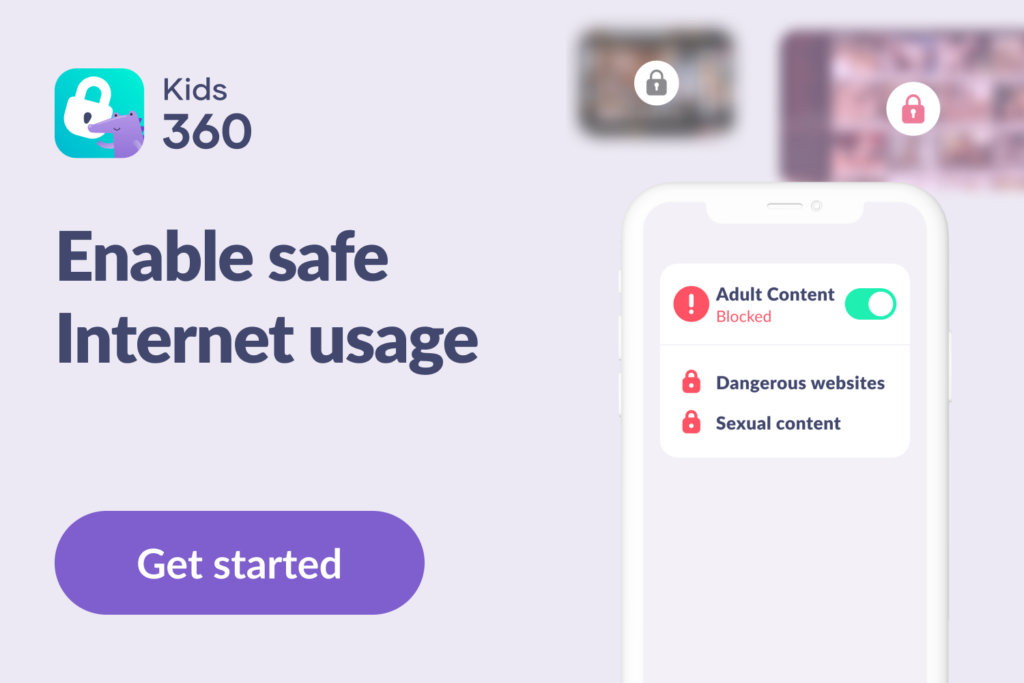
Scam awareness starts with conversation, but parents can also make it harder for children to wander into risky corners of the internet. Kids360 brings app management, safer browsing tools, screen-time rules, and usage information together in one place.
Parents can use Kids360 to:
- Review screen-time habits. Usage statistics help parents understand how much time children spend on their phones and in different app categories. Changes in these patterns can be a useful reason to check in and ask about new apps or online activities.
- Limit access to troublesome apps. App controls help parents restrict apps that are unsuitable or have led to unsafe interactions.
- Prevent unapproved app installations. Some scams encourage children to download fake games, shopping apps, or software that can compromise their accounts or devices. Kids360 helps parents prevent children from installing new apps without their approval, giving them a chance to check unfamiliar apps before they appear on the child’s phone.
- Reduce exposure to adult websites. Fake prize offers and shopping scams can appear on websites that children reach through ads or search results. Kids360’s Safe Internet feature helps block access to 18+ websites, reducing exposure to some inappropriate online content.
- Set app schedules around higher-risk hours. Scammers may send messages at night, when children are tired, and parents may not be nearby to help. Kids360 lets parents schedule when selected apps are available. For example, families can make messaging apps unavailable at bedtime while keeping essential phone functions accessible.
- Set daily screen-time limits. The longer children spend online without breaks, the more opportunities they may have to encounter suspicious messages, fake giveaways, or misleading ads. Daily limits help parents establish a healthier routine and create time for offline activities.
These tools give parents useful context and help establish consistent boundaries, but they work best alongside open communication. If a new app appears or usage patterns suddenly change, begin with a question and give the child room to explain. Make it clear that asking for help with a suspicious message or an accidental click is more important than avoiding punishment.
Kids360 cannot identify scammers or verify suspicious links, but it can help parents manage their child’s access to apps and online content. Download Kids360 for free right now to set screen-time boundaries and build a safer digital routine for the whole family.
Teach the “Stop, Check, Ask” Rule
Three steps can help a child handle an unexpected offer:
- Stop: Do not click, reply, download, or pay.
- Check: Do not trust the sender’s name or logo alone. If the message claims there is a problem with an account or an offer to claim, verify it through the company’s official app or website, opened separately.
- Ask: Show the message to a parent or another trusted adult.
Children ask for help more readily when honest mistakes do not bring automatic punishment. Protection comes before blame.
Make It Clear What Information Stays Private
A scammer does not always ask for everything at once. One message may ask for a child’s school, while another asks for a birthday, phone number, or photo. Put together, these details can reveal a child’s identity, location, or account information.
Children should know never to share:
- Passwords, password-recovery answers, or verification codes
- A Social Security number or other government identification number
- Their home address, school name, or live location
- Bank account or credit card information
- Private photographs
- Account numbers or screenshots that show payment details
These rules also apply when the person seems friendly, uses a familiar company logo, or claims to know someone the child trusts. If a message asks for personal information, the safest response is to stop and show it to a parent before replying.
Strengthen Account Security
Strong passwords should be long, memorable, and difficult to guess. Important accounts need different passwords so that one leak does not give scammers access to everything. Special characters can be included where a service requires them, but length and uniqueness matter more than making a short password complicated.
A password manager can store secure credentials. Families should also enable multifactor authentication, keep each computer or phone updated, and reject unexpected login prompts. Children should never share passwords or one-time verification codes with anyone, even someone claiming to represent a company or technical-support team. These steps make it harder for scammers to access accounts.
Make Online Shopping a Shared Activity
Children between 7 and 14 may be eager to spend birthday money or buy something they have seen online, but unfamiliar stores should always be checked by an adult first. Before paying, look at the seller’s web address, independent reviews, returns policy, contact details, and accepted payment methods together. Children should never enter payment details or complete purchases without a parent’s approval.
Talking through these checks shows children what a trustworthy store looks like. Over time, they will become better at spotting warning signs before entering payment information or placing an order.
What to Do If a Child Has Fallen Victim to a Scam
A child who admits what happened has already taken an important step. Staying calm makes it easier to understand what was shared and act immediately.
- Stop further contact: Do not reply, pay again, or send more information.
- End remote access: Disconnect the device from the internet if someone is controlling it remotely.
- Change passwords: Start with the child’s email and any account using the same credentials.
- Secure the accounts: Sign out of unfamiliar sessions and turn on multifactor authentication.
- Contact the provider: Tell the relevant platform, bank, or credit card issuer what happened.
- Check for fraudulent activity: Review the bank account, checking account, cards, app stores, and online shopping history.
- Preserve evidence: Save the username, website address, messages, receipts, and screenshots before blocking the account.
- Report the incident: Use the platform’s tools, ReportFraud.ftc.gov, or the FBI’s Internet Crime Complaint Center.
- Respond to identity theft: Visit IdentityTheft.gov for a recovery plan and information about placing a fraud alert or credit freeze.
- Scan the device: Update its security software and check for malware if a file or program was installed.
If a child’s identifying information has been exposed, parents should check whether a credit file has been opened in the child’s name. Any account the family does not recognize should be disputed. Parents can also place a free credit freeze to make it harder for someone to open another account using the child’s details.
If private images are involved, begin by telling the child, “You are not in trouble.” Save the messages and account details, but do not download, copy, or forward intimate images of a minor. Stop all contact and report the threats to the platform and law enforcement. Do not send money or additional photographs. The FBI warns that paying rarely ends the blackmail and may lead to further demands.
Children may not recognize every scam right away, but they can learn to spot warning signs, question unexpected offers, and ask for help before sharing personal information or making a payment. Everyday situations, from a suspicious text to a free in-game reward, are opportunities for parents to practice these habits with their children. Just as important, children should know they can talk about an online mistake without fear of blame.
Digital boundaries can provide another layer of support. Kids360 helps parents manage app access, filter adult websites, and set screen-time limits while children develop safer online habits. Download Kids360 to create clearer digital boundaries and support your child’s online safety.
Sources and References
- Annual Reports, FBI Internet Crime Complaint Center, 2025
- FTC Data Show People Reported Losing $3.5 Billion to Imposter Scams in 2025, Federal Trade Commission, 2025
- New FTC Data Show People Have Lost Billions to Social Media Scams, Federal Trade Commission, 2025
- Decision-making in the adolescent brain, Nature Neuroscience, 2012
- Fake Roblox link leads to hacking, swatting at Columbia County home, WRDW / WAGT, 2026
- Pittsburgh-area teenager facing over 300 felony charges in "catfishing" and child "sextortion" scheme, CBS News, 2026
- Phishing scam targets Livonia students with fake job offers, WXYZ-TV Channel 7, 2026
- Talking to children about text scams, Federal Trade Commission
- Protecting against phishing, Federal Trade Commission
- Tech-support scams, Federal Trade Commission
- Online shopping, Federal Trade Commission
- Recovery steps, IdentityTheft.gov
- Online threats targeting young people, FBI
- How to Avoid Identity Fraud, Scams, and More, Roblox
FAQ

Kids360 helps parents create a safer digital environment by managing app access, blocking new app installations, filtering adult websites, and setting screen-time limits. These tools can reduce children’s exposure to some online risks while helping parents build healthy digital habits. Combined with open conversations about suspicious messages and links, they give families another layer of support against online scams.
Parents can protect children by teaching them to keep personal information private and ask, “Is this real?” before they click or pay. Look at suspicious messages together and show them how to open a company’s official app instead of using the link provided. Kids360 can help manage access to selected apps and adult websites, while parents remain the person a child can approach after making a mistake.
The strongest warning signs are urgency, secrecy, unrealistic rewards, and requests for passwords or money. Scammers typically want the victim to act before checking. Be cautious if a message requests cash, gift cards, a bank transfer, or private information.
Close the site and do not complete any forms. If the child downloaded software or entered a password, disconnect the device if needed, run a security check, and change the affected credentials. Review the account for suspicious activity and report the message. If financial information was entered, contact the bank promptly.
Yes. Fraudsters can use a child’s identity to open an account, obtain services, or make purchases. A child generally should not have a credit file, so an unexpected one may indicate misuse. Parents can visit IdentityTheft.gov, contact the credit bureaus, dispute fraudulent records, and request a credit freeze for the child.