Is Telegram Safe for Your Child? Risks and Safety Tips


A child may ask for Telegram because friends use it for group chats, gaming communities, or sharing files. Before agreeing, parents should consider two questions: Is Telegram safe for kids, and what might their child encounter after creating an account?
Telegram can be useful, but it was not designed as a child-focused service. Whether Telegram is safe depends on the child’s age, contacts, privacy and security settings, and ability to respond when something feels wrong.
Key Takeaways
- Telegram’s standard cloud chats are encrypted, but they are not end-to-end encrypted by default.
- Secret Chats use end-to-end encryption, although they only work between two people and must be started separately.
- Public Telegram channels, large groups, usernames, and bots can expose children to strangers, scams, or unsuitable content.
- Parents should review phone number visibility, active sessions, security features, and two-factor authentication before a child begins using Telegram.
- Kids360 can help parents manage when and how Telegram fits into the child’s wider phone routine.
Table of Contents
What Is the Telegram App?
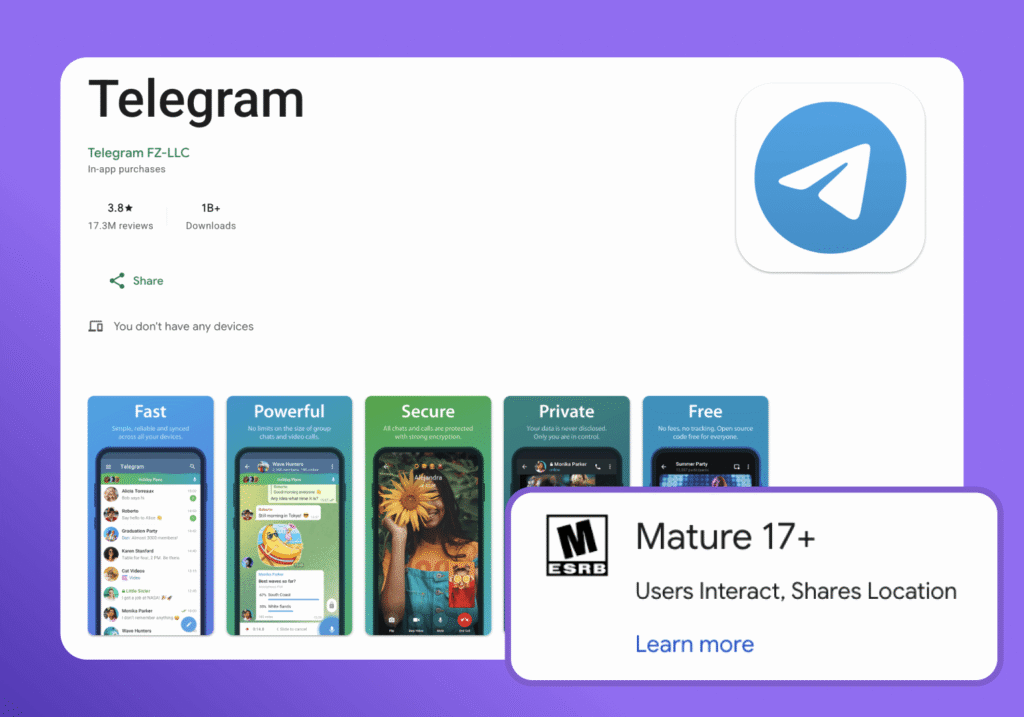
Telegram is a cloud-based service and one of the world’s most popular messaging apps. People use it for private chats, group chats, file sharing, voice or video calls, and communities built around shared interests.
According to the official Telegram FAQ, Telegram groups can contain up to 200,000 members. Telegram channels work differently: administrators use these broadcast channels to publish information to a larger audience. The service also supports Telegram bots created by third-party developers.
Unlike many messaging apps, Telegram allows multi-device access, so cloud messages appear on several devices. It also supports end-to-end encrypted video calls, but that does not mean all your messages receive the same protection. Parents comparing messaging apps need to understand this distinction.
What Age Should a Child Use Telegram?
There is no single age at which Telegram becomes appropriate for every child. The first thing to consider is whether your child is old enough to use the service under Telegram’s rules. The current Terms of Service state that users in the European Union, the United Kingdom, and Australia must be at least 17–18 years old to sign up. Families elsewhere should check the Terms that apply to their country before creating an account.
For younger children, the question is not just whether they can use the app, but whether they are ready to deal with what can come with it. Telegram can expose users to strangers, public communities, anonymous accounts, and links or content they may not know how to assess. A child should be able to protect personal information, recognize suspicious links, and know when to stop responding and tell a trusted adult.
An app-store age rating does not tell you whether your child is ready to use Telegram safely. That also depends on how well they understand privacy, recognize suspicious messages, and handle contact with strangers. To make an informed decision, it helps to understand what Telegram does—and does not—protect.
How Secure Is Telegram? Encryption Explained
Telegram uses encryption to protect messages as they travel between your child’s device and Telegram’s servers. But not all Telegram chats use end-to-end encryption. For parents, the key difference is who can access the messages.
How Telegram’s Standard Chats Work
Telegram’s regular chats are cloud chats. Messages, photos, videos, and files are stored on Telegram’s servers so they can be accessed from different devices.
The connection between the device and Telegram’s servers is encrypted, which helps protect messages while they are being sent. However, regular chats are not end-to-end encrypted. In an end-to-end encrypted chat, only the devices of the people in the conversation can decrypt the messages.
Telegram says that cloud data is encrypted and that the keys used to protect it are stored separately. This is different from messaging apps that use end-to-end encryption for regular private chats by default.
How Telegram Secret Chats Work
Secret Chats provide additional protection for sensitive conversations. All Telegram messages sent within Secret Chats use end-to-end encryption. Only the sender and intended recipient can read them, and Telegram does not store the conversation history in its cloud—a conversation started on one phone will not automatically appear elsewhere.
Secret Chats prevent forwarding and support self-destructing messages. A self-destruct timer can remove new messages or media after opening, although the other person can still photograph the screen.
Secret Chats must be started separately for each contact. It does not convert group messages, channels, or cloud conversations.
Telegram Privacy: What Data Does Telegram Collect?
Privacy and security are related, but they cover different things. Encryption protects the content of messages, while privacy is about what information Telegram collects about an account and how that information is stored or used.
To create a Telegram account, a user needs a phone number. According to Telegram’s Privacy Policy, the service may also process profile information, synced contacts, IP addresses, device details, information about the Telegram apps a user has used, and username-change history. Regular cloud chats are stored on Telegram’s servers so they can be synchronized across devices.
Telegram says it does not use the content of private chats or contact lists to show ads. However, the company may retain some technical information, including IP addresses and device details, for up to 12 months for security and abuse prevention.
Telegram may also share certain information with authorities in response to a valid judicial order. Under its current Privacy Policy, this can include a user’s phone number and IP address when the order confirms that the person is suspected of criminal activity that violates Telegram’s Terms of Service.
There is another privacy consideration for children: Telegram bots and websites connected to bots can share information with third parties. Depending on how a bot is used, developers may receive messages or other details sent to the bot, while a bot-controlled website may receive a user’s IP address when they open a link.
For parents, the practical takeaway is simple: Telegram is not completely private just because messages are encrypted. Account information, technical data, cloud content, and information shared through bots can all be part of a user’s digital footprint. Children should avoid sharing passwords, home addresses, school details, or other sensitive information on Telegram.
What Are the Risks of Telegram for Kids?
The main Telegram risks for children come from how many different kinds of interaction the service combines. Private chats sit alongside very large public communities, file transfers, bots, and searchable usernames.
Contact With Strangers
People can contact a child if they know the child’s phone number, share a group, or find a public username. Telegram users do not need to know one another offline before they can send messages.
A public username makes an account discoverable in global search. Telegram displays that username publicly, and strangers may send unsolicited messages without seeing the child’s phone number. Removing an unnecessary username and limiting who can find the account can reduce that exposure.
Inappropriate or Adult Content
Public communities may contain sexual, violent, misleading, or illegal material. Telegram prohibits illegal pornographic content in public spaces, but moderation cannot guarantee a child will never see it.
Links can move a child rapidly between channels. Content that starts with gaming or jokes may lead to adult material or criminal activity.
Public Groups, Channels, and Bots
Public Telegram groups can bring together thousands of people, including strangers. Their message history may be visible to anyone who joins, and conversations in a group can move to private chats.
Telegram channels let people and organizations reach large audiences. While some share useful information, others spread misinformation, scams, stolen data, or inappropriate content.
Bots pose a different risk: they may be run by third-party developers, so users should be careful about what information they share with them.
Scams, Phishing, and Fake Accounts
Scammers may impersonate friends, companies, or public figures. They might promise a prize or claim that an account will be closed unless the child acts immediately.
Children should never share verification codes or sensitive information, or open unexpected files. The FTC recommends verifying unexpected requests through a trusted channel rather than using the contact details provided in the message. Fake giveaways and account-recovery messages can trick children into revealing login details or handing over access to their accounts.
Cyberbullying and Social Pressure
Hurtful messages, insults, and embarrassing images can spread quickly in Telegram group chats. Children may feel pressured to reply, share photos, or go along with a group to avoid being left out.
Secret Chats can use self-destructing messages, but that doesn’t mean everything disappears without a trace: someone could still save or photograph a message. Children should know they can ask a trusted adult for help if they’re bullied or share something they later regret.
Too Much Screen Time
Active Telegram groups and frequent notifications can distract children from homework, interrupt family time, and make it harder to wind down before bed.
The same can happen with other messaging apps, so it helps to agree on when children can check messages—for example, during homework, at meals, and before bedtime.
Read more: How Much Screen Time Is Too Much: A Parent’s Guide by Age.
These risks do not mean children should never use Telegram. They do mean that parents should review the app’s privacy and security settings, discuss safe messaging habits, and agree on clear boundaries before problems arise.
Telegram Privacy and Safety Settings Parents Should Know
Telegram’s security features can reduce common risks. Parents and children should review the settings together before using the service.
Decide Who Can Contact the Child
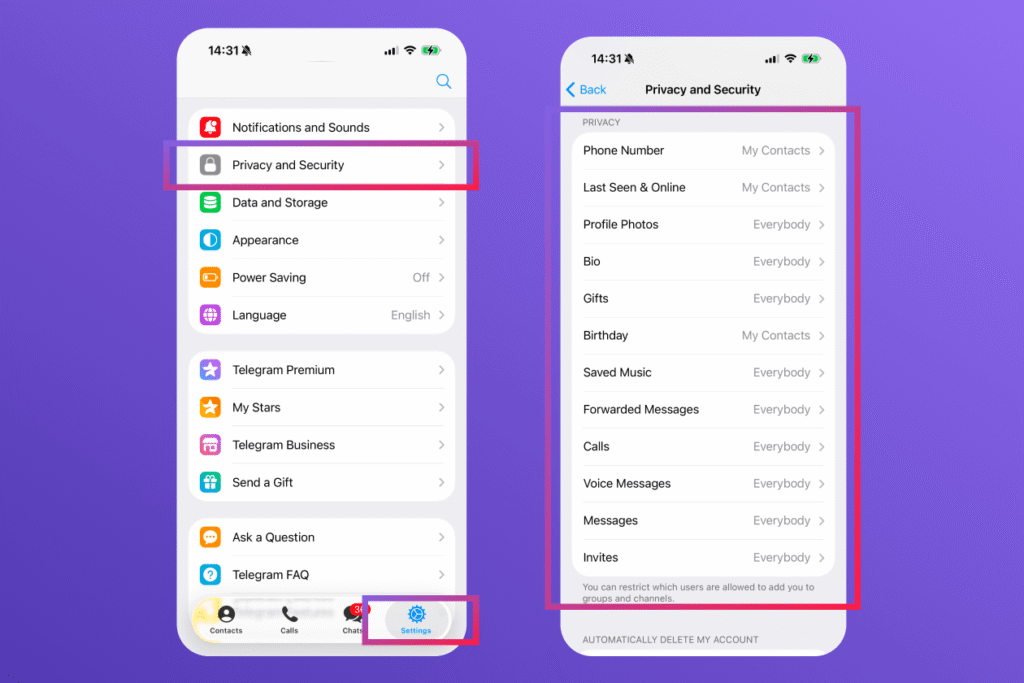
Open Settings, followed by Privacy and Security. Review who can:
- See the phone number
- Find the account using the phone number
- Make calls
- Add the child to groups or channels
- See the child’s last-seen status
- Link back to the account through forwarded messages
Remove an unnecessary public username and block unwanted contact.
Limit Profile and Personal Information
Check the profile picture, display name, biography, birthday, and last-seen settings. A child’s profile should not reveal a school, home area, daily schedule, or other identifying details.
Only share location with trusted people. A friendly profile photo does not prove who controls an account.
Enable Two-Factor Authentication
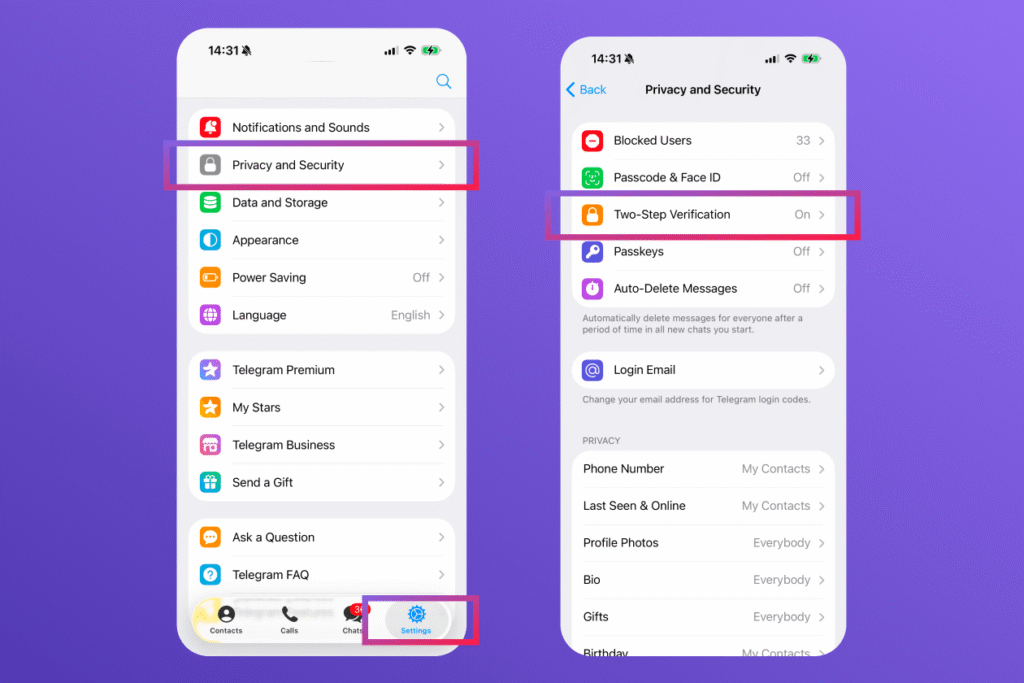
Telegram calls this option 2-Step Verification. Two-factor authentication (2FA) adds a password to the login process, making a stolen code less useful.
To enable two-factor authentication:
- Open Settings and select Privacy and Security.
- Choose 2-Step Verification.
- Create a strong password that is not used elsewhere.
- Add a protected recovery email.
- Save the password in a trusted password manager if necessary.
Telegram recommends two-factor authentication and an app passcode as part of its online security guidance. Security researchers also advise using unique passwords so one data breach does not expose several accounts.
Review Active Sessions
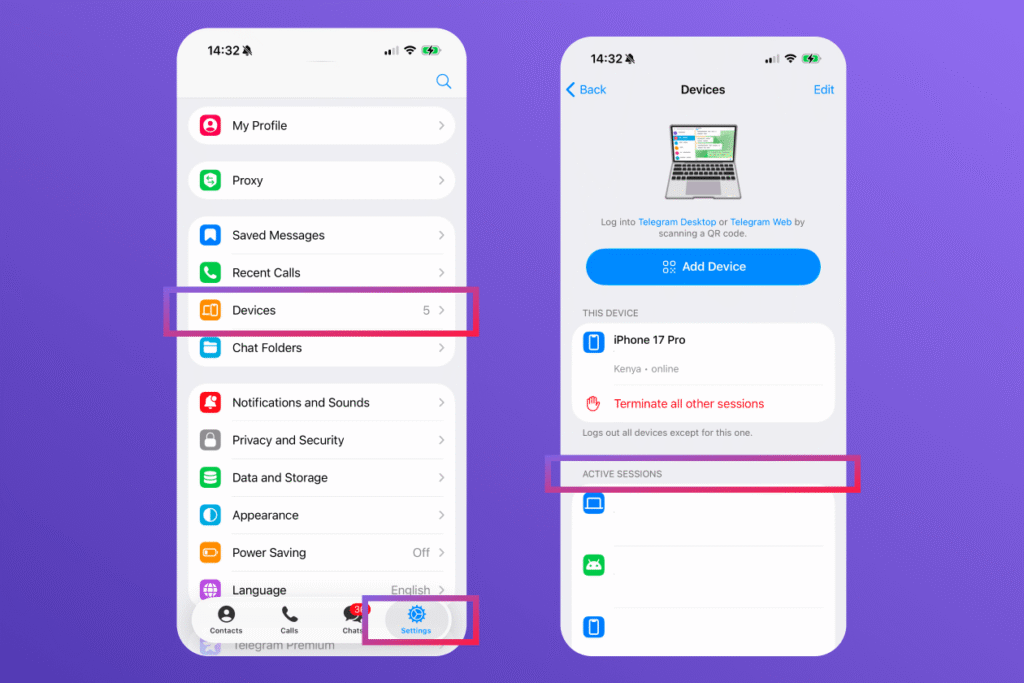
Active Sessions shows where the Telegram account is signed in. Remove unfamiliar devices and check the list after using a shared computer.
Manage Notifications
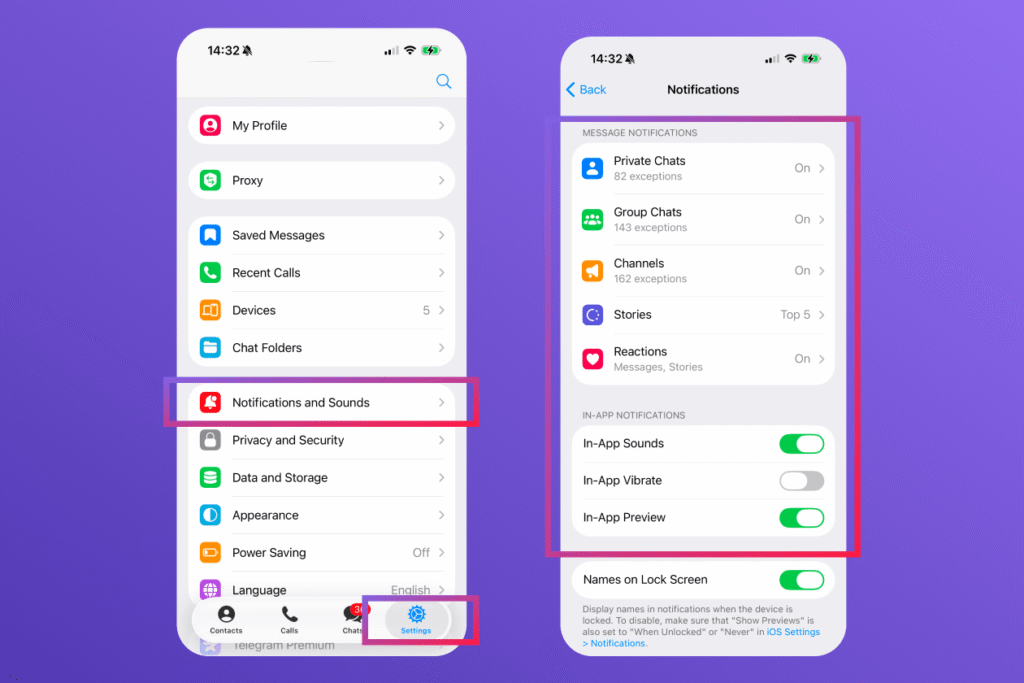
Mute unnecessary notifications during schoolwork, meals, and sleep. This reduces interruptions, but contact, privacy, and security settings still matter.
How Parents Can Manage Telegram Use With Kids360
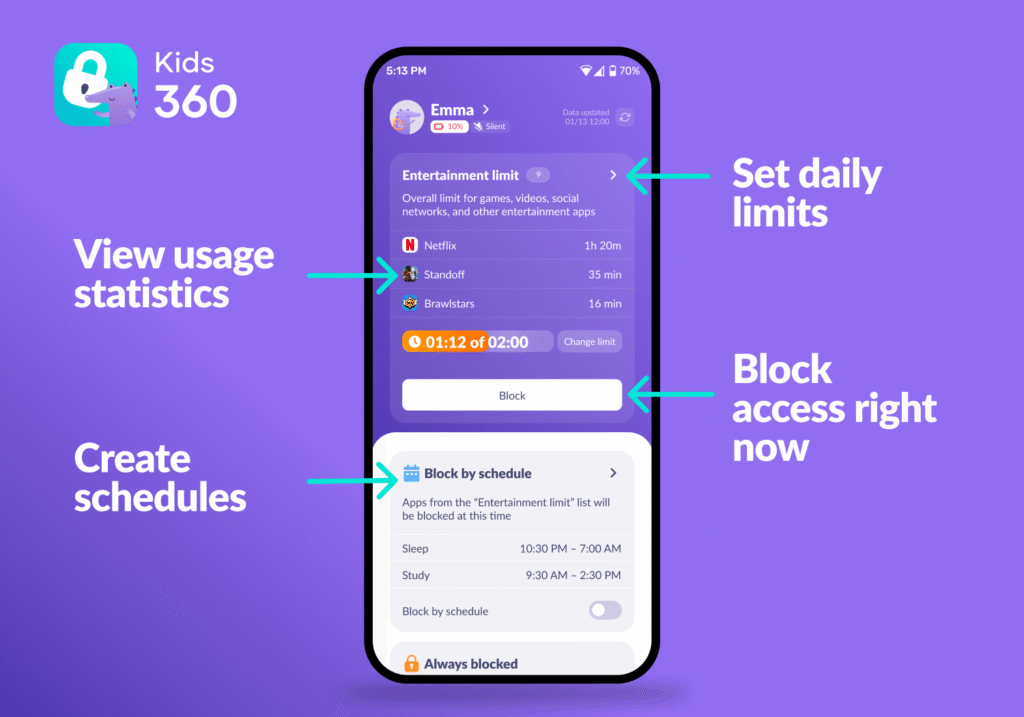
Reviewing Telegram’s settings is an important first step, but it does not address every part of a child’s phone use. For example, privacy settings cannot prevent late-night messaging or limit how much time a child spends in the app.
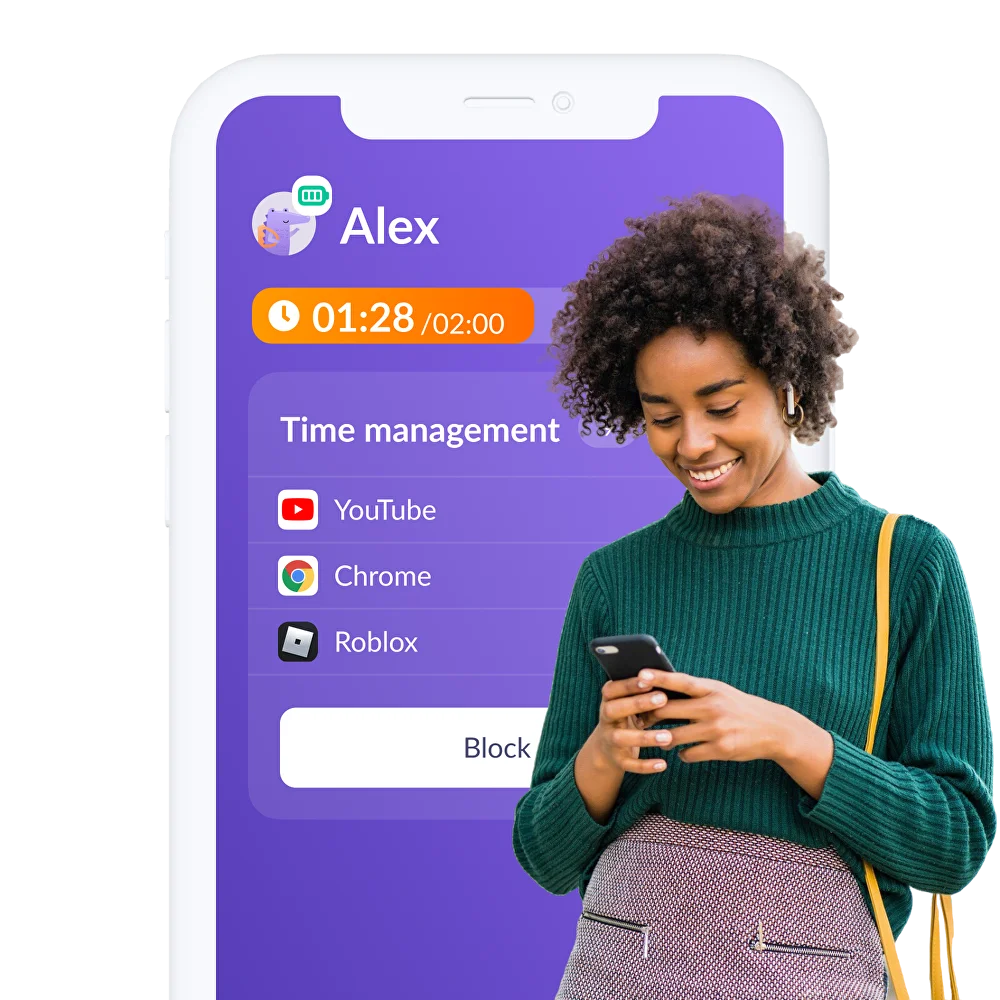
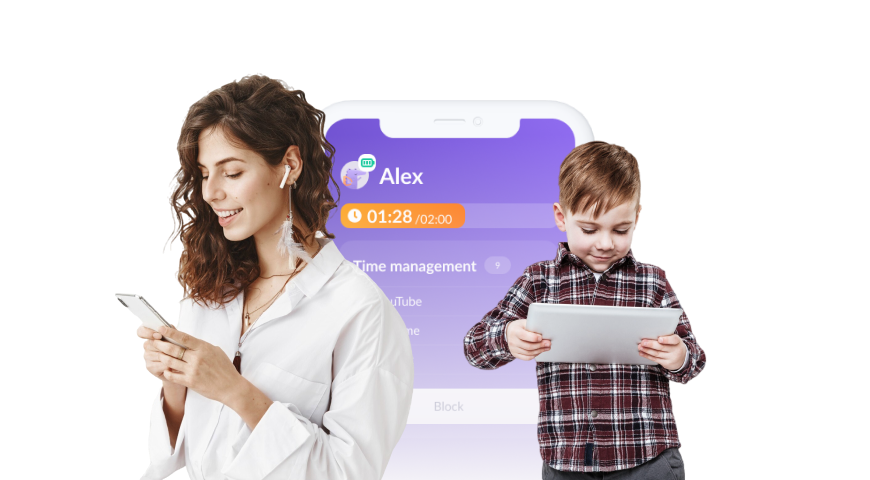
Kids360 helps parents set boundaries around screen time and app use. It doesn’t change Telegram’s encryption, monitor private Telegram messages, or replace conversations about online safety. Instead, it gives families practical ways to build a phone routine that works for both parents and children.
Set Screen-Time Limits
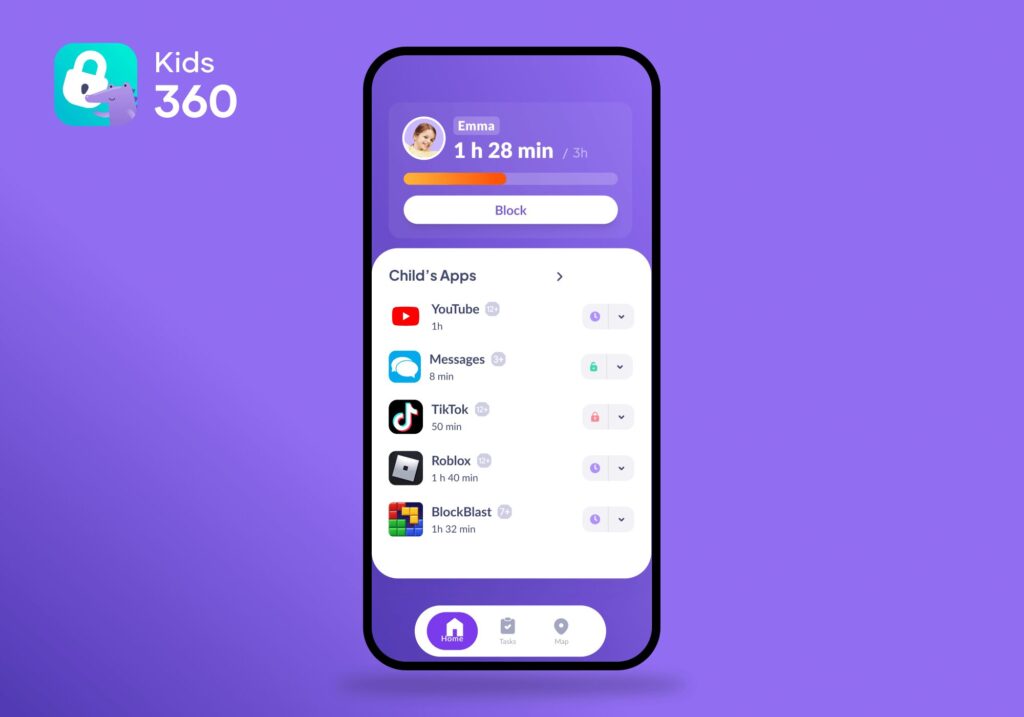
If Telegram conversations regularly stretch for hours, a daily screen-time limit can help keep messaging from taking over the day. Agree on the limit together and explain when it applies, so the child knows what to expect rather than feeling that access has been taken away without warning.
Restrict App Use When It Gets in the Way
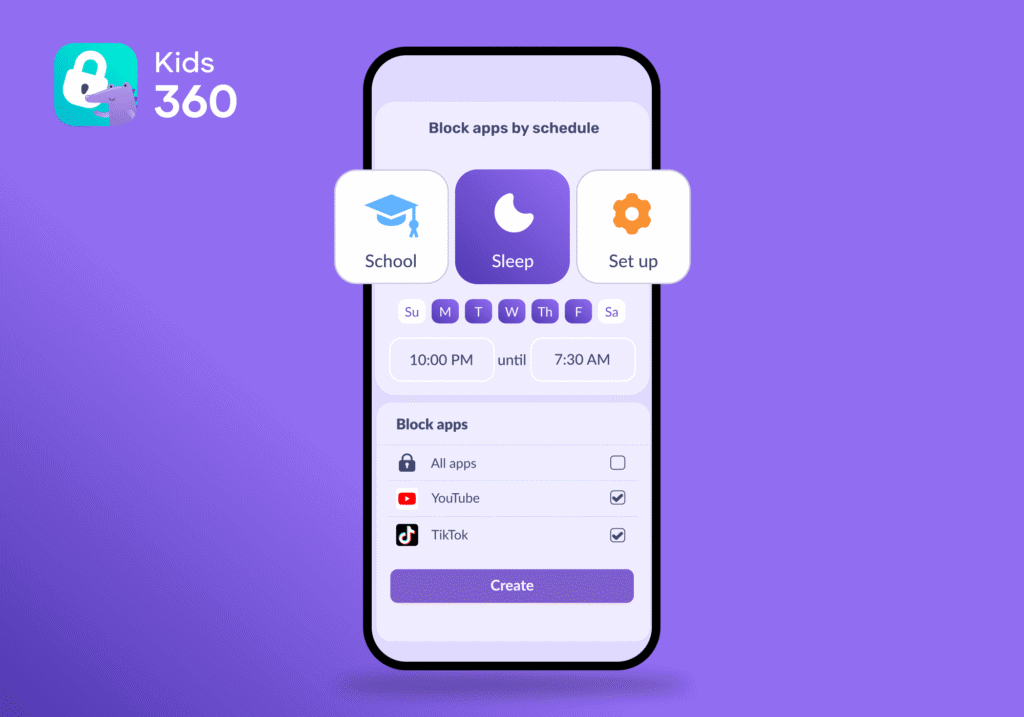
If Telegram distracts your child during homework or keeps them chatting late at night, app restrictions can help reinforce the boundaries you’ve agreed on. With schedules for app use, parents can set different rules for school days and weekends. Explain the reason behind them, especially if your child worries about missing messages or being left out of a group conversation.
Check Screen-Time Patterns Together
Usage statistics can help parents understand how much time a child spends on their phone and spot changes in their habits. For example, a rise in late-night use may be a reason to ask whether group chats are keeping them awake or whether they feel pressure to respond immediately. The numbers are a starting point for a conversation, not proof that something is wrong.
Make Screen-Time Rules a Shared Responsibility
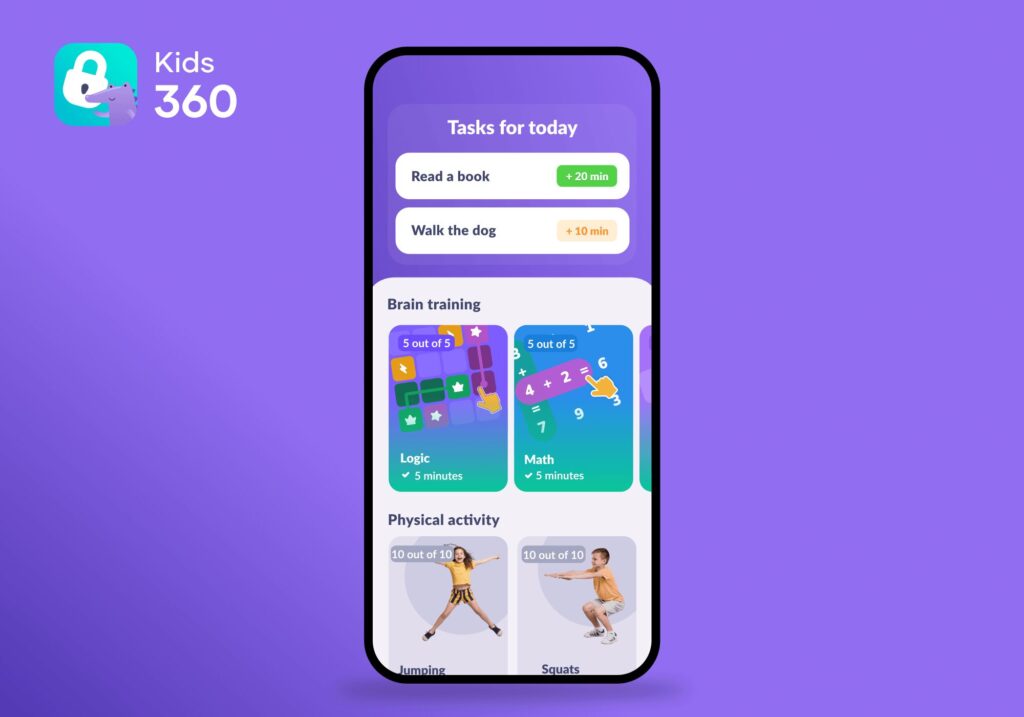
Children are more likely to understand limits when they have a say in how those limits work. Kids360’s developmental tasks let parents connect additional screen time with activities such as reading, logic exercises, and physical challenges. This can help children practise balancing phone use with other responsibilities, rather than treating screen-time rules as punishment.
The goal isn’t to eliminate Telegram or monitor every conversation. It’s to help children use messaging apps without letting them crowd out sleep, school, offline friendships, and family life.
Download Kids360 right now for free to set screen-time boundaries and build a phone routine that works for your family.
Telegram Safety vs. Parental Controls
Telegram’s settings and parental controls solve different problems. Telegram’s privacy and security settings help parents manage account visibility, login protection, and contact with other users. Parental controls address a different concern: how much time a child spends on the phone and when they can use certain apps.
| Need | Telegram Settings | Kids360 |
|---|---|---|
| Control who can see the child’s phone number | Yes | No |
| Limit profile and username visibility | Yes | No |
| Add extra login protection | Yes | No |
| Review devices logged into the account | Yes | No |
| Set an overall screen-time limit | No | Yes |
| Restrict access to Telegram or other apps | Limited inside Telegram | Yes, where supported |
| Create study and bedtime schedules | No | Yes |
| Review app-use patterns | No | Yes |
| Connect screen time with useful tasks | No | Yes |
These tools complement each other, but they are not interchangeable. Telegram’s settings can reduce certain privacy and account-security risks, while Kids360 helps parents establish boundaries around phone use. Neither can guarantee that a child will avoid scams, inappropriate content, or cyberbullying, so technical settings work best alongside open conversations about online safety.
How to Make Telegram Safer for a Child
If a family decides to allow Telegram, the following checklist can reduce avoidable risks:
- Check the current age requirements before creating an account.
- Keep contacts limited to people the child genuinely knows.
- Remove a public username unless it serves a clear purpose.
- Restrict phone number visibility and group invitations.
- Enable two-factor authentication and an app passcode.
- Review active sessions for unfamiliar devices.
- Never share login or verification codes.
- Do not open an unexpected file or malicious link.
- Leave and report harmful groups, bots, and channels.
- Keep confidential data out of standard cloud chats.
- Use Secret Chats for genuinely sensitive conversations with trusted people, while remembering their limits.
- Agree on screen-time boundaries and use Kids360 to support them.
The child should also know that asking for help will not automatically lead to punishment. That reassurance makes it more likely that a parent will hear about a problem early.
Should Parents Let Their Child Use Telegram?
Telegram is not the right choice for every child. Younger users may struggle to assess strangers, public communities, fake accounts, disappearing content, or the privacy concerns created by third-party bots.
If parents allow it, use should begin with a clear purpose, known contacts, private settings, and regular conversations. Kids360 can support time limits and daily routines, while the family handles the choices made inside the app.
The question is not only “Is Telegram safe?” It is whether this particular child can use it with enough guidance, boundaries, and trust.
Sources & References
- FAQ, Telegram
- Privacy Policy, Telegram
- Terms of Service, Telegram
- Safety and Transparency, Telegram
- How to Recognize and Avoid Phishing Scams, FTC