Tired of “Five More Minutes”? Screen Time Rules for Kids That Work


“Just five more minutes” can turn into an argument before the tablet is even put down. For parents tired of having the same conversation every afternoon, screen time rules for kids need to be clear enough to follow and realistic enough to stick.
Here’s how to agree on those rules, and where Kids360 can help with the daily follow-through.
Key Takeaways
- Clear screen time agreements can help children develop healthy screen habits.
- Recreational screen time should fit around sleep, school responsibilities, physical activity, and family time, with essential screen use considered separately.
- Children need to know when screens are available, when they stop, and what happens if an agreement is broken.
- Kids360 limits and schedules can support daily routines, including different schedules for different days and selected apps.
- Adults should model shared boundaries by putting screens away during meals and family conversations.
- A child’s age, needs, and changing responsibilities should guide regular reviews of the rules.
Table of Contents
How Much Screen Time Should Kids Have?
How much screen time is reasonable for a child? It helps to start with what the child is doing. An hour spent watching videos for fun serves a different purpose from an hour spent finishing homework. Calling a parent or using a device for accessibility support also needs to be considered separately from entertainment.
The advice can seem confusing because different organizations focus on different ages and activities. AACAP gives specific time limits for preschoolers, but recommends healthy habits and limits for children six and older. The American Academy of Pediatrics also encourages parents to consider what children watch, how they respond, and whether screens are taking time away from sleep, play, or family life.
Screen Time Rules for Kids by Age
| Age | Screen-time guidance | Practical family rule |
|---|---|---|
| Under 2 | Avoid routine screen use, except for activities such as video calls with family. | Keep screens out of everyday routines and prioritize talking, playing, movement, and interaction with caregivers. |
| 2–5 | About 1 hour of non-educational screen time on weekdays; up to 3 hours on weekend days. | Choose age-appropriate content, watch or play together when possible, and avoid screens during meals and before bedtime. |
| 6–9 | No universal hourly limit. Focus on whether recreational screen use displaces sleep, physical activity, schoolwork, or family time. | Set a predictable allowance for recreational use and establish screen-free periods for homework, meals, and bedtime. |
| 10–12 | No universal hourly limit. Consider the child’s overall media habits and daily routine. | Give children more input into the rules while keeping clear boundaries around schoolwork, sleep, physical activity, and social time. |
| 13–14 | No universal hourly limit. Focus on balance and whether screen use interferes with everyday activities. | Agree on boundaries for gaming, social media, phone use, and nighttime device access, and review them regularly together. |
| 15–17 | No universal hourly limit. Encourage healthy media habits while allowing for growing independence. | Give teenagers more responsibility for managing screen use while continuing to discuss sleep, school, physical activity, relationships, and online safety. |
For children aged 7 and above, parents can start by setting reasonable boundaries around recreational screen use and see how they work. Is homework getting done? Is the child getting enough sleep and spending time away from screens? Those answers can help parents decide whether the limit needs adjusting.
For more guidance, see Kids360’s age-by-age guide to screen time.
The Most Important Screen Time Rules
Focus on a few priorities first, and explain each new rule before expecting it to happen.
Set a Daily Screen-Time Limit
Set a daily limit for games, videos, and other screen-based entertainment. That limit should include TV and computer use too. For example, if a child uses their phone for 30 minutes and then watches TV for 30 minutes, that adds up to an hour.
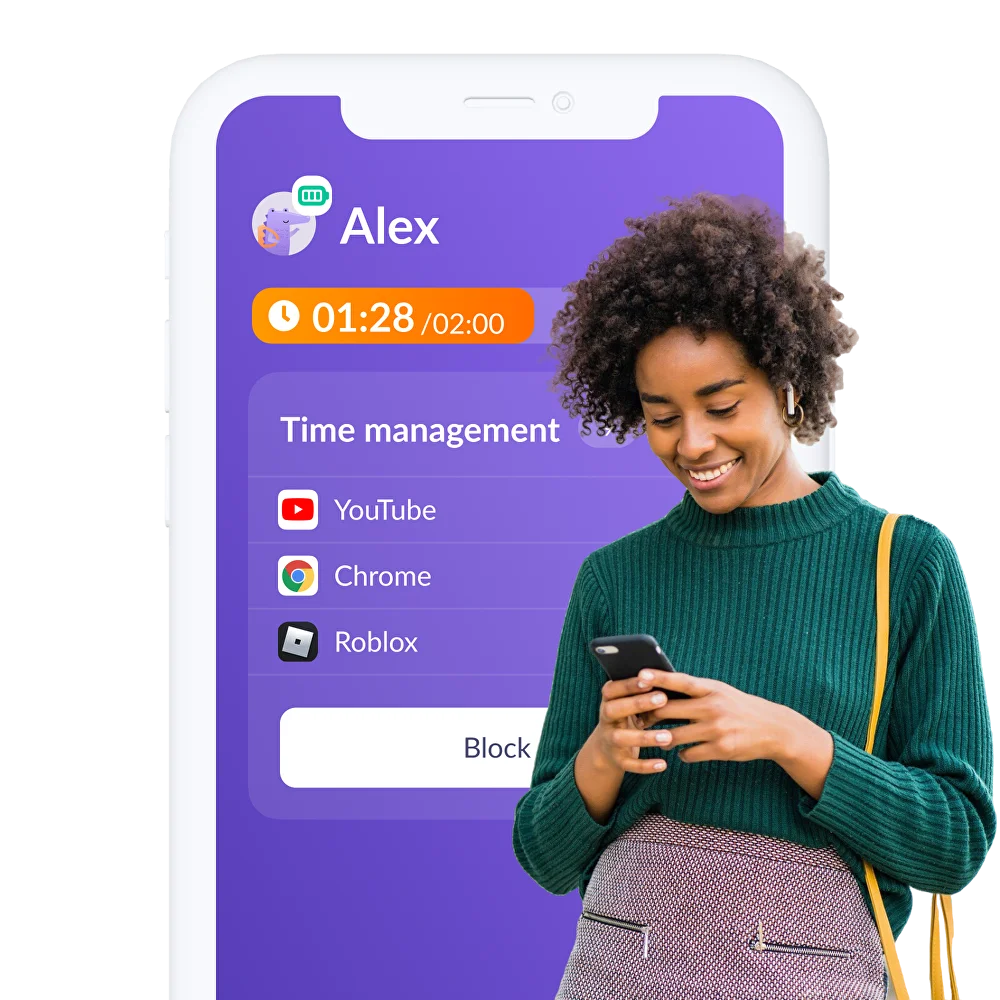
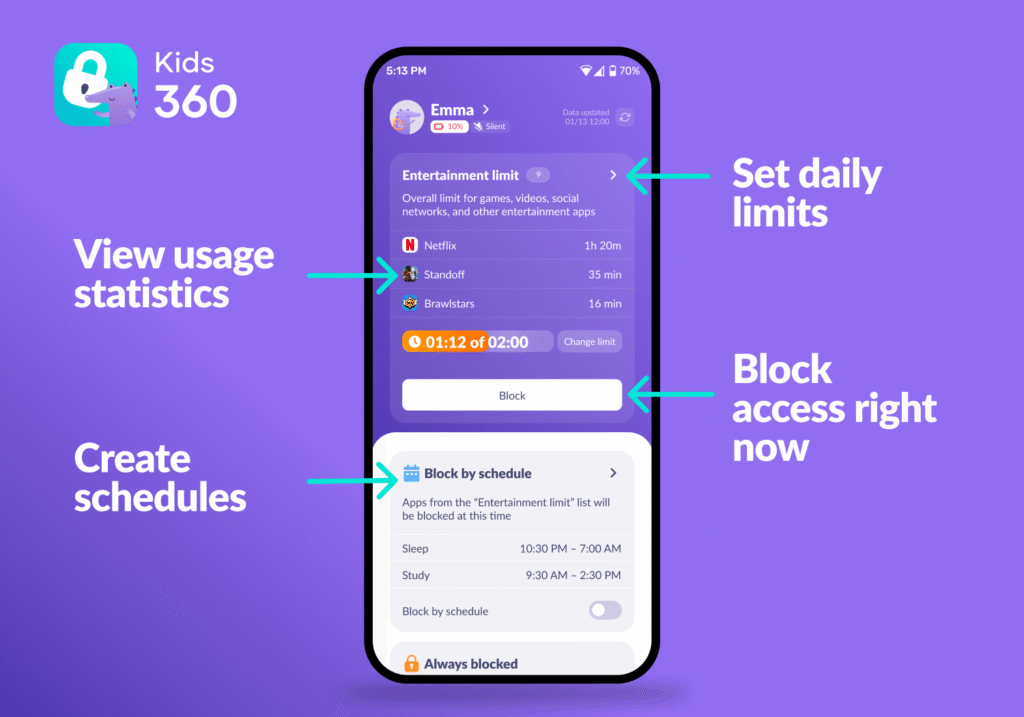
Parents can use Kids360 to set a daily limit on their child’s connected device for free. This can help children understand how much time they have for entertainment and make it easier to balance device use with homework, physical activity, family time, and sleep.
Set App-Specific Limits
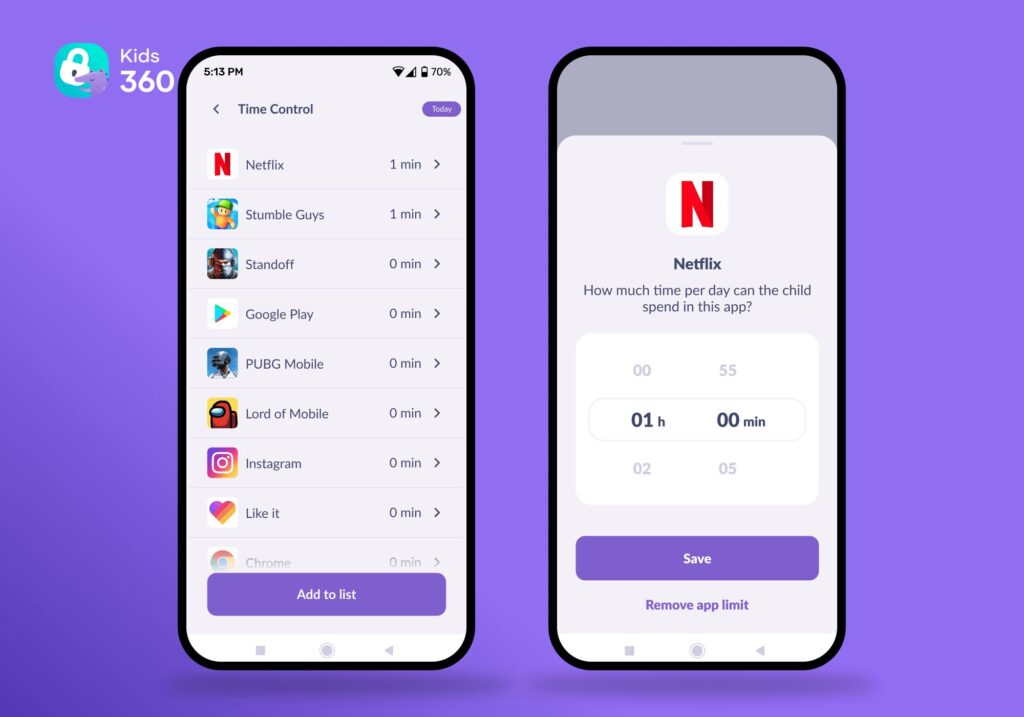
If a child spends most of their screen time on one game or social media app, parents can set a separate limit for that app. For example, they might allow 30 minutes on a favorite game without applying the same limit to an app used for schoolwork.
Kids360 lets parents set individual time limits for specific apps. You can adjust each limit to match the child’s routine and gradually create healthier habits around the most-used apps.
Explain the limit to the child before turning it on so they know which app it applies to and how long they can use it.
Create Screen-Free Times for the Whole Family
Choose times when everyone puts their screens away, such as during meals or a family outing. Parents should follow these rules too. It is harder to ask a child to put their phone down when the adults are still scrolling.
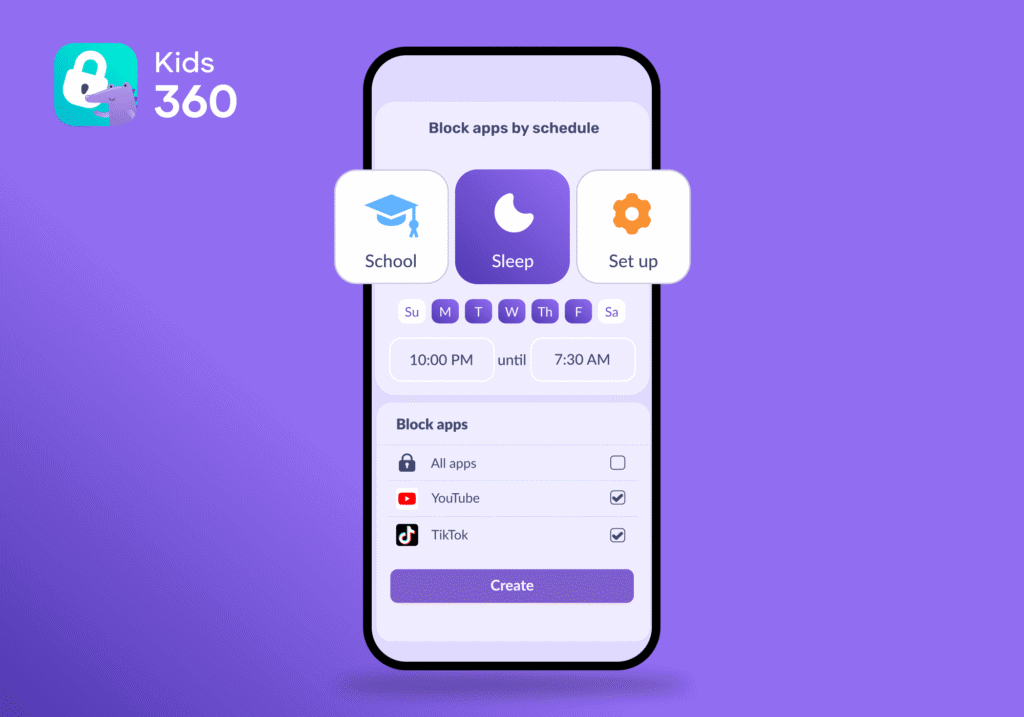
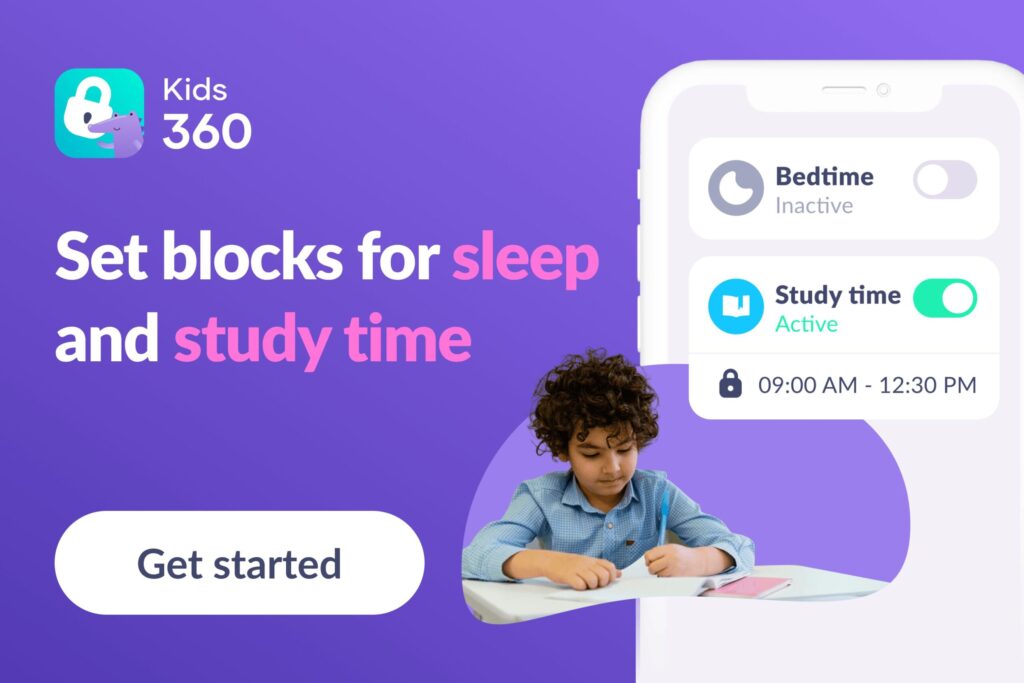
Kids360 schedules can help parents manage the child’s apps around those routines. You can set a different schedule for each day of the week and choose which apps to restrict. For example, games could be blocked during homework while apps needed for school remain available.
Schedules can also change to fit the day. A child might have time to play after school on Tuesday but need to wait until after sports practice on Monday. This flexibility makes it easier to build screen-free periods into your family’s routine without making every day follow exactly the same rules.
Set a No-Screens-Before-Bed Rule
The American Academy of Pediatrics recommends turning screens off at least one hour before bedtime. For a child who goes to bed at 8:30 p.m., that means putting screens away at 7:30 p.m.
Parents can use a Kids360 schedule to block games and other distracting apps during that hour. It is also a good time to turn off the TV and start the usual evening routine, whether that means having a bath, reading a book, or getting ready for the next day.
Make Screen Time a Reward for Responsibilities
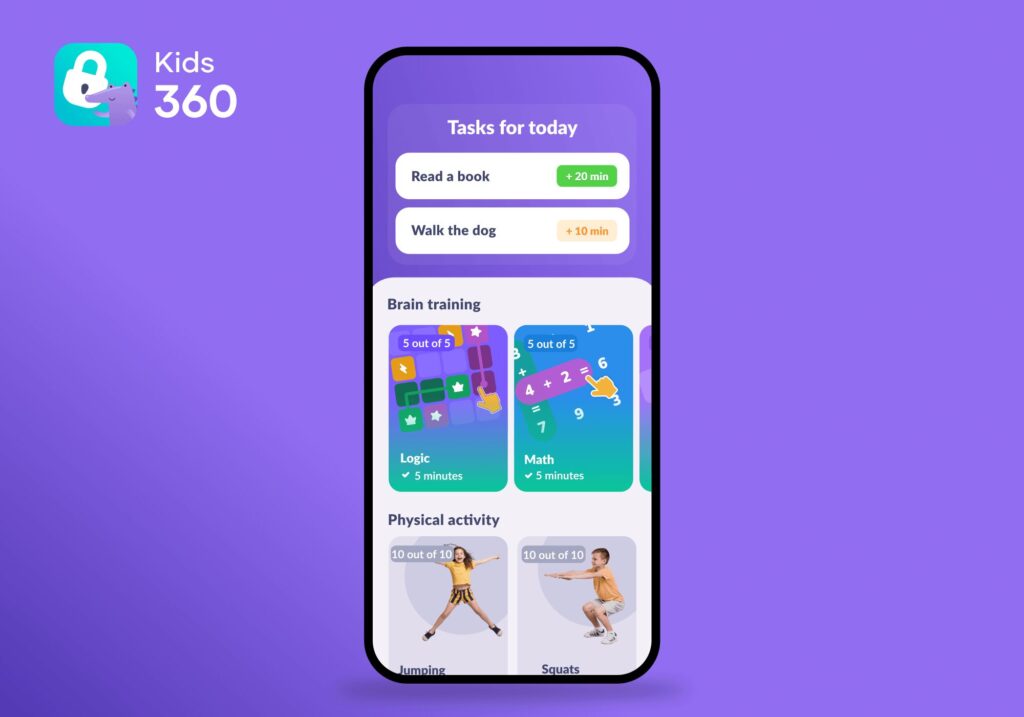
Screen time can also be used as an incentive for following everyday routines and completing responsibilities. For example, parents might agree that reading for 20 minutes, finishing homework, or helping with a household chore earns a small amount of extra screen time.
Kids360 can help put this approach into practice with its task and reward system. Parents can create their own tasks and decide how much additional screen time a child receives for completing them. The app also includes built-in logic and problem-solving activities that can be used as part of the same system.
Keep rewards small and agree on them in advance. The goal is not to make children earn every minute of screen time, but to use occasional bonus time to encourage positive habits while keeping the family’s overall screen-time rules in place.
Keep Phones Out of the Bedroom at Night
Make it a family rule to charge phones, tablets, and other portable devices outside the bedroom overnight. Choose a convenient spot, such as a kitchen counter, where everyone can leave their devices before going to bed. The AAP recommends keeping screens out of children’s bedrooms, especially at night.
If a child uses their phone as an alarm, a basic alarm clock can do the same job without leaving games, messages, and videos within reach.
Keep Meals Screen-Free
Put phones away and turn off the TV during shared meals. This gives everyone a chance to talk without competing with a video or checking messages between bites.
The rule should apply to adults as well as children. If a parent needs to take an urgent call, they can explain why and put the phone away again afterward.
Protect Physical Activity and Outdoor Play
Leave space for physical activity, friends, and unstructured play before screens fill the afternoon. Outside activities need not be elaborate: kicking a ball or walking the dog counts as spending time away from screens.
Keep some time genuinely free. Not every break from digital devices needs another scheduled activity.
Agree on Rules Together
Parents can set limits while letting kids help decide the details. Would they prefer screens before or after an afternoon snack? Where should devices charge?
Listen to what screens provide, including connection with friends. Agreement does not require identical opinions, but the child should understand the reason for the boundary.
Be Consistent
Once you set screen time rules, try to follow them consistently from day to day. Children are more likely to understand and follow limits when they know what to expect instead of having to negotiate screen time each time they reach the limit.
Make sure everyone who cares for your child follows the same rules and knows which exceptions are allowed. A family movie night or a special occasion can be an exception, but it should be clear that it is a planned change rather than a new rule.
Review the Rules as the Child Gets Older
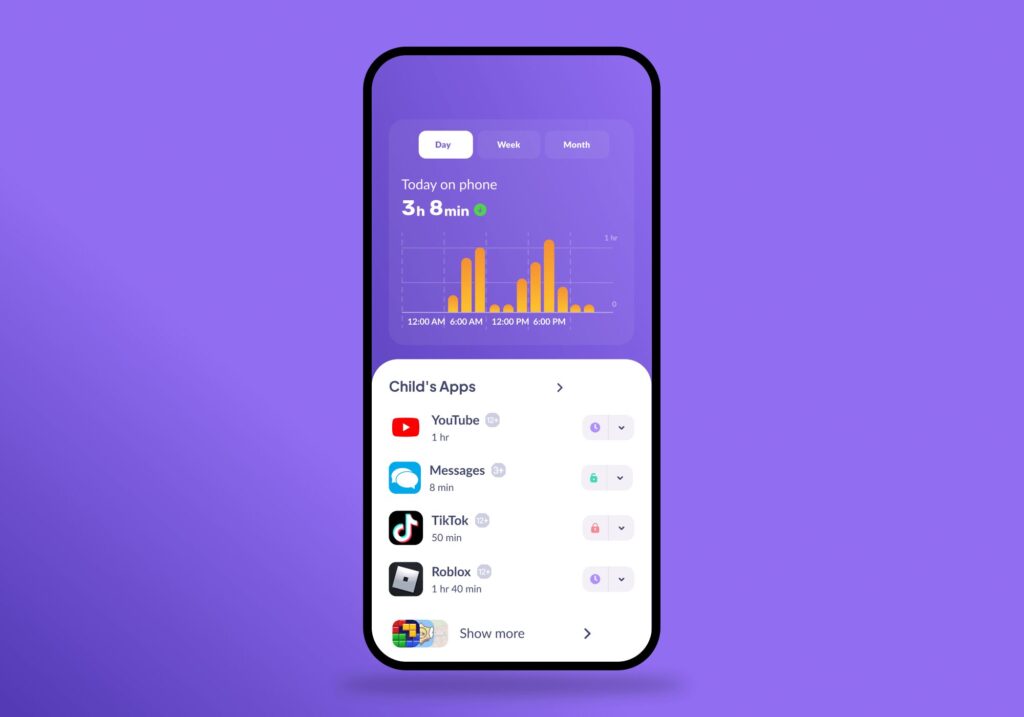
Screen time rules should change as your child grows. Review them when their school workload, interests, routines, or the way they use devices changes. A rule that worked well for a younger child may no longer make sense as they become more independent.
Kids360 usage reports can help you understand how your child’s screen time changes over time and which apps take up most of it. Use this information as a starting point for a conversation about whether the current limits still make sense.
Pay attention to more than just the number of hours. Consider whether your child is sleeping well, keeping up with schoolwork and responsibilities, staying active, and having enough time for friends and family. The goal is to adjust screen time rules as your child’s needs change, while keeping the boundaries clear and consistent.
How to Enforce Screen Time Rules Without Daily Battles
A child may understand the rules and still ask for another video or more time to finish a game. Give a reminder before their time runs out, and explain what they need to do next. Kids360 can help enforce the limits, but parents will still need to help children get used to them.
Download and Set Up Kids360
After agreeing on the rules, parents can add the limits to Kids360:
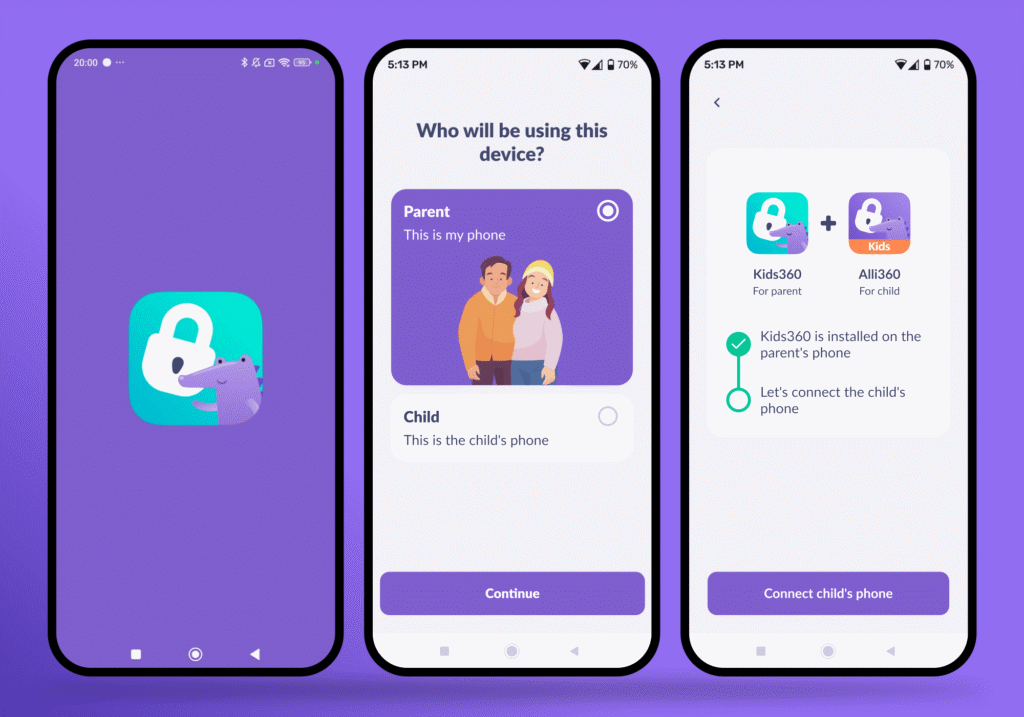
- Download Kids360 on the parent’s phone from Google Play, the App Store, or another supported platform.
- Follow the setup instructions to install the companion app on the child’s phone and connect the two devices.
- Set the daily limit and add schedules for times when games and other apps should be blocked.
- Check that the restrictions work and that the child can still contact a parent when needed.
Show the child which apps will be limited and when they will become available again. Explain the settings before using them so the first restriction does not come as a surprise.
Ready to make screen time easier to manage? Try Kids360 right now for free to set up screen time limits and schedules that fit your family’s routine!
Use Predictability, Warnings, and Consistent Follow-Through
A few simple habits can help children get used to putting their screens away:
- Give a warning: Remind the child when they have five or ten minutes left so they can finish what they are doing and save their game.
- Stick to the agreed time: If the child asks for more time every day, discuss whether the limit needs changing at a calmer moment, not each time it runs out.
- Expect some complaints: A child may be upset about stopping, especially when the rule is new. Parents can acknowledge that frustration without giving extra time.
- Suggest what to do next: Offer a couple of choices, such as drawing, playing outside, or helping make a snack.
- Avoid making all screen time a reward: Children can have an agreed daily allowance without having to earn every minute through chores or good behavior.
- Follow the same shared rules: If phones are put away during meals, adults should put theirs away too.
Getting used to the routine may take time. Keep reminders calm and consistent, even when the child is disappointed.
Should Weekends and Holidays Have Different Rules?
Yes, if the family agrees beforehand. Many parents allow more recreational screens on quieter days, while keeping meals, sleep, and family time protected.
A longer gaming session or film need not become unlimited access for the whole break. Kids360’s different daily schedules can reflect those plans. Discuss changes before the week begins, including when the usual routine resumes. Spending an afternoon on screens during bad weather does not have to rewrite every future agreement.
Screen Time Rules and Online Safety Are Not the Same Thing
Time controls manage when and how long children use screens. Content controls manage what they can access. These are two different parts of digital safety, and both matter. Even a short session online can expose a child to unsuitable websites, apps, or content, so reducing screen time alone does not eliminate every online risk.
Kids360 internet safety tools address a different need from daily screen-time limits, helping parents manage access to potentially inappropriate online content. This allows families to combine time-based rules with age-appropriate content restrictions, while available controls may vary by platform.
It is also important to teach children what to do when they encounter something upsetting or inappropriate. Talk about not sharing personal information, being careful about who they communicate with online, and coming to a trusted adult if something makes them uncomfortable. Clear rules work best when children understand not only what is restricted, but why the rule exists and how to stay safe when they are online.
A Sample Set of Screen Time Rules for Kids
Families can start with a few simple rules like these and adjust them to suit their routine:
- Homework and other responsibilities come before games and videos.
- Time spent on the phone, TV, and computer counts toward the same daily entertainment limit.
- Everyone puts their phone away during meals, and the TV stays off.
- Screens are turned off one hour before bed.
- Phones charge outside bedrooms overnight.
- Requests for extra time should be discussed in advance, rather than when it is time to stop.
- Once a week, the family checks whether anything needs to change.
Write the rules down and put them somewhere everyone can see. Make sure all caregivers understand them so the child gets the same answer whichever adult they ask.
What to Do When Your Child Breaks the Rules
Ask the child what happened before deciding how to respond. Did they lose track of time, misunderstand the rule, or deliberately try to get around it? Their answer can help parents work out what needs to change.
Keep the response calm. If the family agreed on a consequence beforehand, follow through without adding a harsher punishment in the moment. Make sure the child can still contact a parent when needed.
Once everyone has settled down, talk about how to avoid the same problem next time. A reminder before starting another game may help, or the rule may need a clearer explanation.
If arguments about screens keep affecting everyday family life, AACAP recommends speaking with a pediatrician or family physician.
Start With Rules the Family Can Keep
The goal of screen time rules is not to keep children away from screens altogether, but to make sure screens have a healthy place in their daily lives. Clear limits can help protect time for sleep, schoolwork, physical activity, family, and offline interests while still leaving room for games, videos, and other digital activities.
The most effective rules are usually simple, predictable, and agreed on together. Start with a few boundaries that matter most to your family, explain why they are important, and give children a chance to have a say in how the rules work.
Tools such as Kids360 can make these boundaries easier to follow by helping parents set daily limits, create schedules, restrict specific apps, and manage screen time more consistently. Used alongside open communication and consistent family habits, these tools can help turn screen time rules into a routine that works for everyone.
Sources and References
- Kids & Screen Time-The 5 C's of Media, American Academy of Pediatrics, 2026
- Healthy Sleep Habits: How Many Hours Does Your Child Need?, American Academy of Pediatrics, 2026
- Screen Time and Children, American Academy of Child and Adolescent Psychiatry, 2025