
Google Search won’t appear on any list of apps.
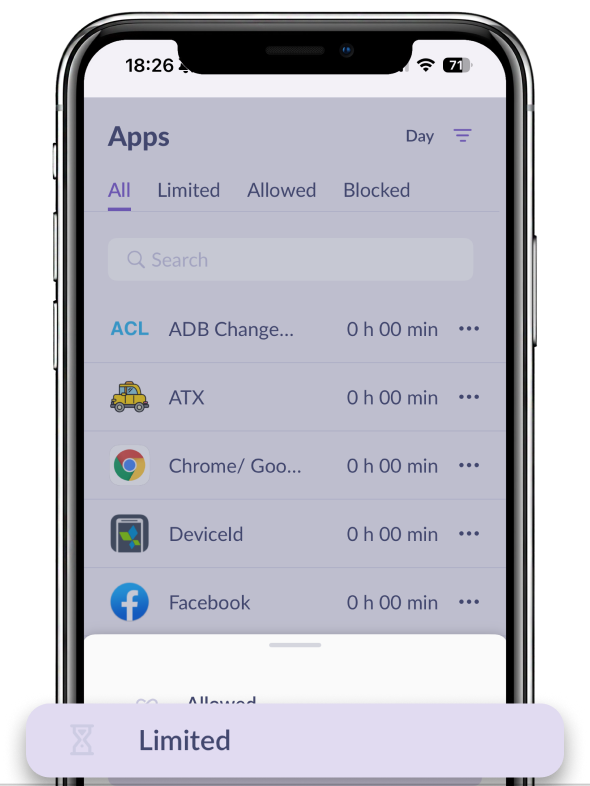
To restrict usage of this app, add Google Chrome to the Limited list.
If you can’t see in the list another app:
Open Always Available
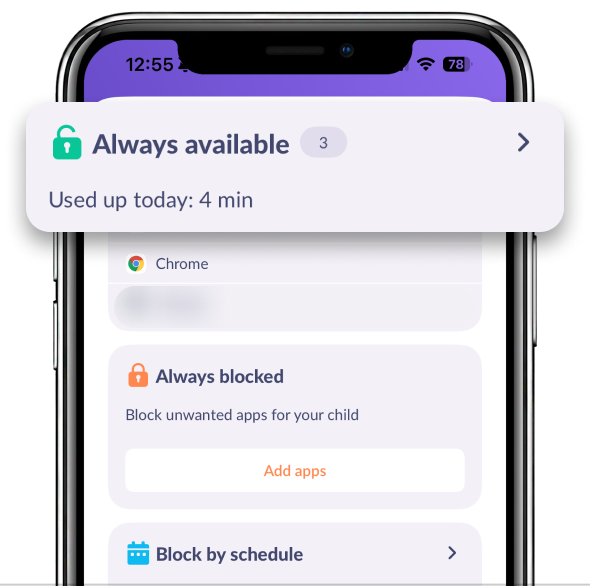
Find the app you need:
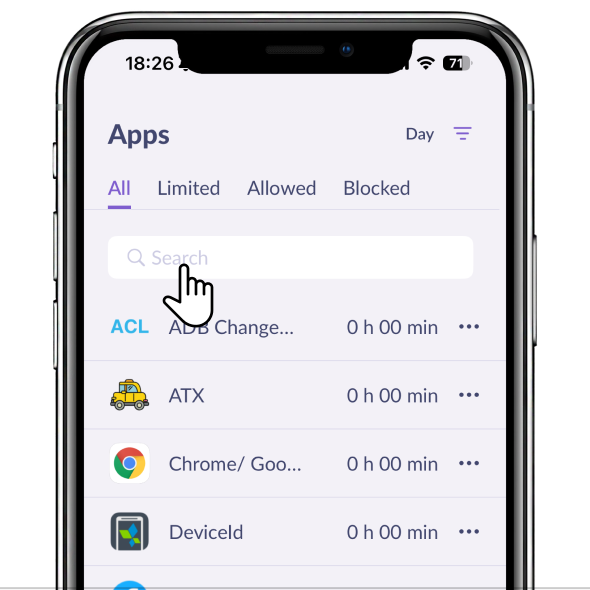
Tap the app and move it to Limited:
Restart the parent’s and child’s apps
Check if there are available updates on app stores
If you can’t see the app on any list but your child is still using it, contact us in the chat support.
Was it helpful?
Chat is unavailable right now. Please try again later.




