Should Your Child Have a Phone at School? The Pros and Cons

Should students be allowed to bring their phones to school? It’s a question many parents and educators are still debating. A cellphone can distract students from lessons, but it can also help a child contact their family, access accessibility tools, stay organized, or respond to an unexpected change in the school day.
The answer does not have to be an all-or-nothing choice. Schools can allow students to carry phones while setting clear rules for when and how they may be used. Parents can also use parental controls to limit games, social media, and other distractions during school hours.
In this article, we’ll look at the main arguments for and against phones in schools, what research says about their impact, and how schools and parents can find a practical balance between access, safety, and learning.
Key Takeaways
- Cell phones can support communication, safety, accessibility, organization, and teacher-led learning when proper guidelines are in place.
- Unrestricted cell phone use can interrupt teachers, distract students, and weaken the learning environment.
- Research suggests that the purpose, timing, and supervision of technology matter more than access alone.
- A clear school policy, consistent classroom management, and parental controls can reduce digital distractions.
- Kids360 can help parents schedule restrictions during school hours while keeping essential communication available.
Table of Contents
Should Phones Be Allowed in Schools?
Phones should be allowed when schools and families agree on when and how they may be used. That could mean keeping mobile devices switched off in a bag, storing them in a classroom holder, or allowing access only when a teacher approves it. Allowing cell phones at school does not have to mean allowing cell phones during every class.
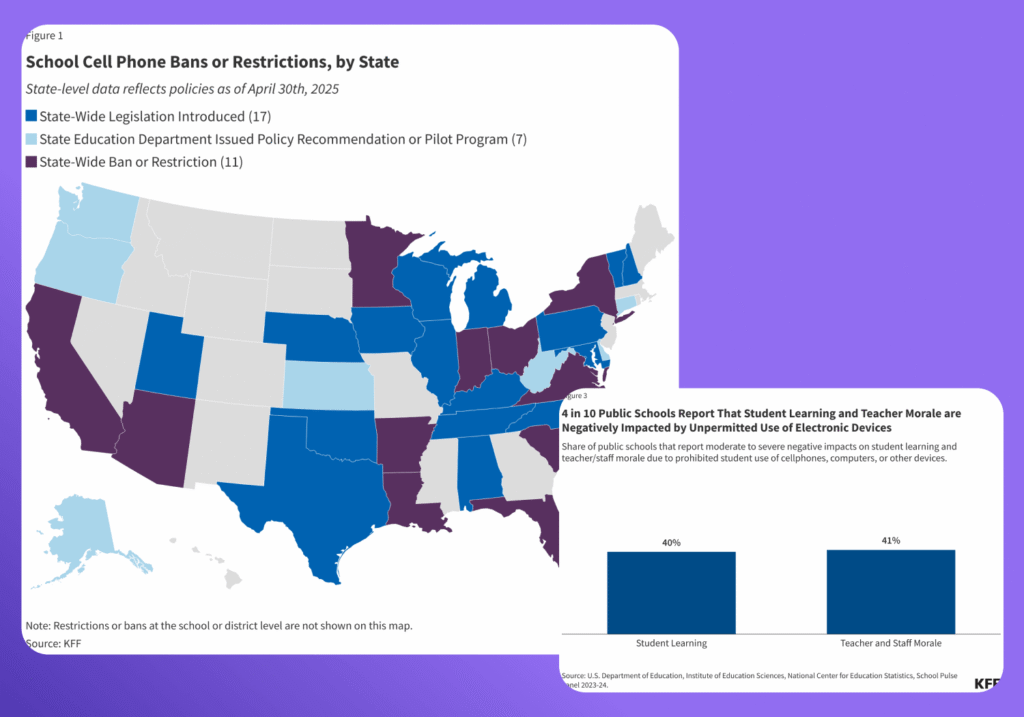
Many schools are moving toward stricter cellphone policies. UNESCO reported that by the end of 2024, 79 education systems, or 40%, had introduced smartphone restrictions in laws or policies. The trend is also visible across the U.S: 11 states have passed statewide policies to ban or restrict cellphone use in schools, with rules varying by state. These decisions reflect valid concerns about distraction, well-being, and classroom disruption.
The evidence also shows why enforcement matters. OECD PISA 2022 data found that 30% of students reported being distracted by digital devices in most or every mathematics lesson. The data also show that phone bans do not necessarily eliminate smartphone use at school: among students in schools where smartphone use was banned, 29% reported using a smartphone several times a day at school, while another 21% reported using one every day or almost every day.
The South Carolina Department of Education offers one recent example. Its Free to Focus policy created a phone-free environment during the school day from January 2025. A related state survey found that the vast majority of responding teachers, 92%, supported limiting access. More than half, 55%, supported a complete cell phone ban throughout the day.
Those figures explain why many educators want stricter rules. They do not prove that every child, class, or school needs exactly the same policy. Schools increasingly create their own policies around age, safety concerns, medical needs, and the practical demands of classroom management. The central issue is not simply whether a phone is present, but how accessible and usable it is during learning time.
Why Phones Should Be Allowed in Schools
Cellphones can create problems, but they can also be useful tools. The benefits are strongest when students follow proper guidelines and teachers remain in control of technology during lessons.
Phones Let Students Contact Their Parents
Changes do not always wait until the end of school hours. A sports practice may be canceled, transportation may be delayed, or a child may become unwell. Cell phones give families a simple way to stay connected when plans change.
This does not mean students should conduct long conversations while teachers are teaching. Schools can decide that cell phone use is limited to breaks, the office, or moments when a teacher gives permission. Immediate communication remains possible without turning every lesson into an open messaging period.
For parents, that balance can be reassuring. The child still has access when there is a genuine need, but ordinary cellphone use does not interrupt class or prevent other students from paying attention.
Phones Can Be Useful in an Emergency
Emergency situations are one of the main reasons families support allowing cell phones in school. A phone may help a child contact a parent or emergency services when appropriate, or report a transportation problem or other urgent change in plans. It may also provide essential communication for a student managing a medical condition.
However, a phone is not a complete emergency plan. During a fire, lockdown, severe weather event, or school shooting, students must follow instructions from teachers, school officials, and emergency services. Unverified messages in group chats can spread fear, while too many calls may make communication more difficult.
Schools should explain when cellphones may be used in emergency situations and which official communication channels families should watch. This keeps phones available as one layer of support without encouraging children to ignore safety procedures.
Smartphones Can Support Learning
Smartphones contain several learning tools that students may use when a teacher includes them in a lesson. A single device can provide access to information that would otherwise require several separate tools.
With permission, students may use features such as:
- A calculator for a math activity
- A dictionary or translation app
- Educational apps
- A timer for classroom experiments
- A camera for recording authorized work
- A document scanner for notes or worksheets
- Research sources selected by the teacher
These functions can enrich education, but the teacher-led part is important.
OECD findings indicate that students are more likely to become distracted when they decide for themselves how smartphones are used. Digital resources tend to support learning more effectively when educators choose the purpose and guide the activity.
Allowing cell phones as occasional learning tools is therefore different from giving students unlimited access. The phone should support teaching, not compete with it.
Phones Can Support Accessibility and Learning Differences
For some children, technology provides more than convenience. Text-to-speech, voice recognition, magnification, reminders, visual schedules, and communication apps can support learning differences or disabilities.
The U.S. Department of Education’s assistive technology guidance explains that suitable devices and services can improve access and help children participate in education. Assistive technology may include a tablet, screen reader, audiobook, digital recorder, or another approved tool.
A personal smartphone will not be appropriate for every support plan. Parents, educators, and the relevant school team should agree on what the student needs and how it may be used. A broad cell phone ban should not accidentally remove access to an agreed accessibility aid.
Phones Help Children Practice Responsible Digital Habits
Children live in a digital world. Removing every decision may reduce cellphone use for a few hours, but it does not automatically teach students how to manage technology in today’s world.
Digital citizenship means using online tools safely, ethically, and thoughtfully. The International Society for Technology in Education describes it as more than online safety. It includes empathy, ethical choices, and understanding how technology affects other people.
Schools that permit controlled phone use have opportunities to teach students when to put a device away, how to protect privacy, and how to handle group chats responsibly.
Responsible use develops through boundaries, conversations, and practice. Allowing cell phones under supervision can help students build self-control before high school, work, and adult life give them far more freedom.
Phones Can Help With Organization
Calendars, alarms, and reminders can help students remember homework, schedule changes, and after-school plans. A teacher may also allow a class to photograph an assignment or add an assessment date to a calendar.
These are useful tools, but they should support organization rather than replace it. Students still need to listen during lessons, record instructions properly, and respect the school policy. A phone reminder cannot help if the child is too distracted to understand the task.
The advantages of phones in school are real, but so are the concerns raised by teachers. Any fair discussion must consider what happens when access is not controlled.
What Are the Arguments Against Phones in Schools?
Many educators argue that cellphones demand too much attention and create extra classroom management work. These concerns deserve more than a quick dismissal.
Distraction and Classroom Disruption
Distraction is the strongest argument for a cell phone ban. Notifications, messages, videos, social media, and games can pull attention away from teaching within seconds. Even when a student is not actively using a phone, waiting for the next notification can make paying attention harder.
OECD research found that frequent smartphone use at school was associated with a greater likelihood of distraction in mathematics lessons. Students who reported being distracted by digital devices in most or every mathematics lesson scored, on average, 15 points lower in mathematics than those who rarely or never experienced this distraction.
One distracted student can also affect the wider learning environment. A ringing phone, shared video, or classroom argument about cellphone use takes time away from learning. Teachers then have to enforce rules instead of teaching.
There is also evidence that restricting phones at school can improve academic outcomes. A study of schools in four English cities found that exam performance increased by about 0.07 standard deviations after mobile phone bans were introduced, with the largest gains among lower-achieving students.
Cheating and Unauthorized Assistance
Cell phones can be used to photograph a test, store notes, search for answers, or send information through group chats. New apps and AI tools have made unauthorized assistance easier to hide.
This does not mean every student with a phone will cheat. It does mean schools need clear rules about devices during assessments. Cellphones can be collected, switched off, or stored out of reach while a test is taking place.
Cyberbullying and Social Media Conflict
SchoolSafety.gov defines cyberbullying as bullying that happens through digital devices, including cell phones, computers, and tablets. Hurtful messages, rumors, photographs, and videos can move quickly through apps and social networks.
Phones in school may allow a conflict to continue during lessons or breaks. Students may also film classmates or teachers and post the content without permission. These actions can harm privacy, safety, and social skills.
A phone-free classroom may reduce immediate access, but it cannot remove the wider digital world. Schools and parents still need to teach students how to report bullying, protect accounts, and behave responsibly online.
Excessive Screen Time
Cellphone use at school can add to the amount of time children already spend on screens at home. Even short periods of checking social media, watching videos, or playing games throughout the school day can gradually increase total daily screen time.
The concern is not that all screen use is harmful. Phones can support communication, learning, and other useful activities. However, when entertainment and social media fill every spare moment, children may have fewer opportunities to move, talk face-to-face, or simply take a break from screens.
Social Pressure and Constant Connectivity
Phones can also create pressure to stay connected throughout the school day. Research among middle-school students has linked fear of missing out (FoMO) with higher smartphone screen time, suggesting that the desire to stay connected can itself encourage more frequent phone use.
This can make it harder to fully disengage from social interactions and focus on the people and activities around them. During breaks, constant phone use may also reduce opportunities for face-to-face conversations, physical activity, and unstructured social time.
Privacy and Recording Concerns
Smartphones include cameras and microphones that can be used without the knowledge of people nearby. Students may record a teacher, classmate, or classroom conversation and share it beyond its original context.
Cellphone policies should clearly explain when photographs, audio, and video are prohibited. Proper guidelines protect students and teachers while still allowing authorized educational use.
The arguments against phones in school are valid, but they also show why access, timing, and clear rules matter—not just what students do with the devices.
How Can Schools and Parents Reduce Phone Distractions?
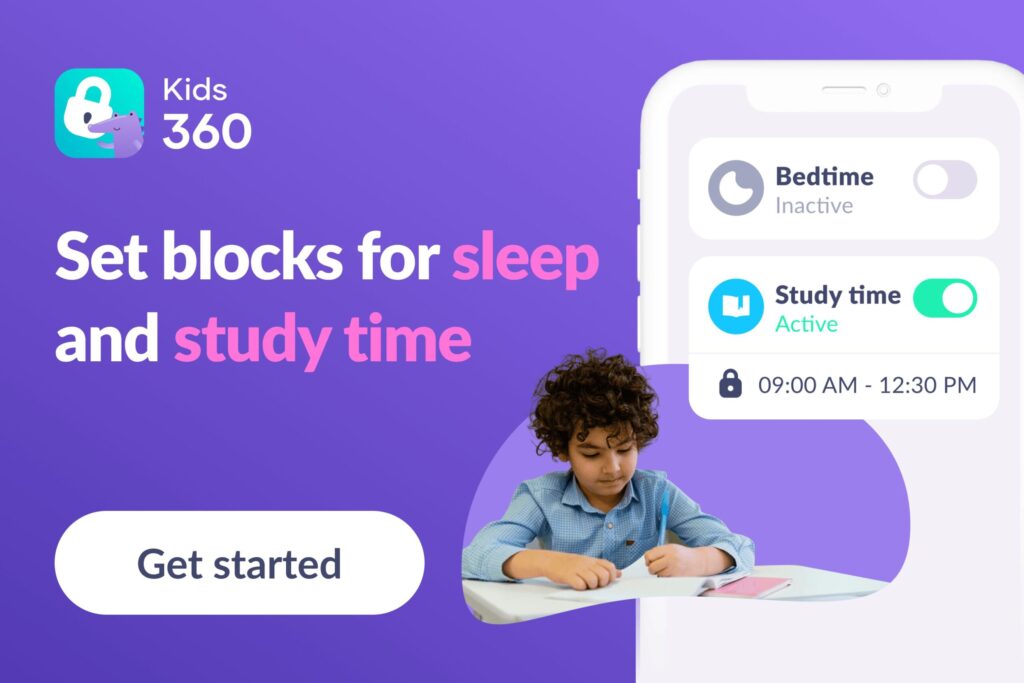
If the biggest argument against cell phones in school is distraction, the solution does not always have to be taking the device away. Parents can instead control what the phone can do during school hours. That allows children to keep access to essential communication while games, social media, and distracting apps are restricted.
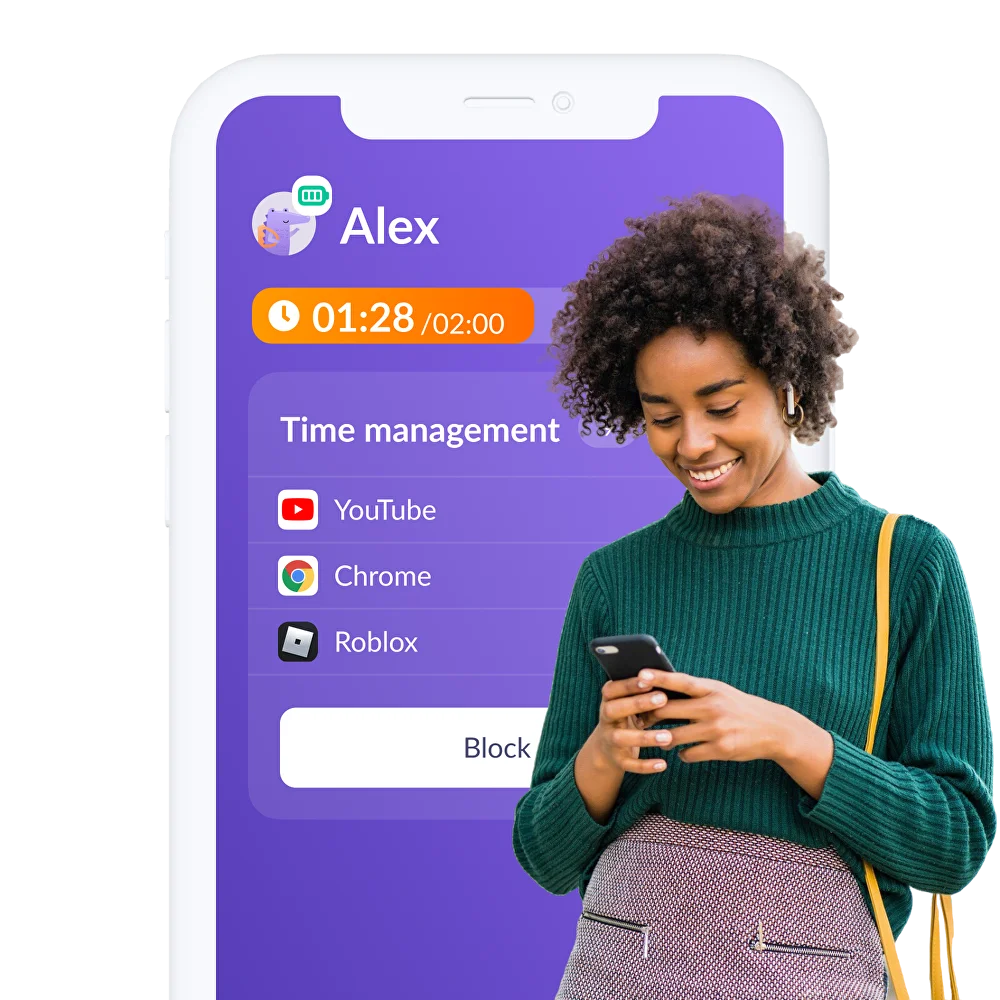
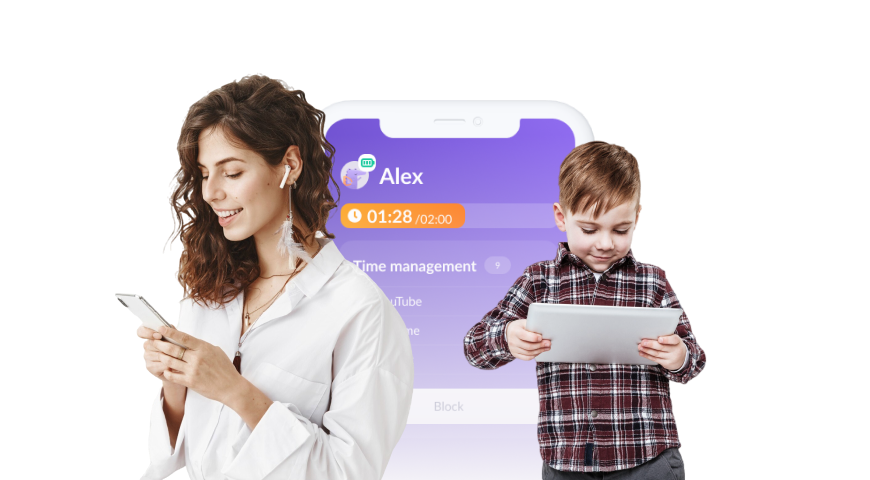
Kids360 is a parental control app that combines screen-time limits, schedules, app controls, usage reports, location features, and tasks. It gives families practical tools for separating necessary access from unrestricted cellphone use.
Schedule Restrictions During School Hours
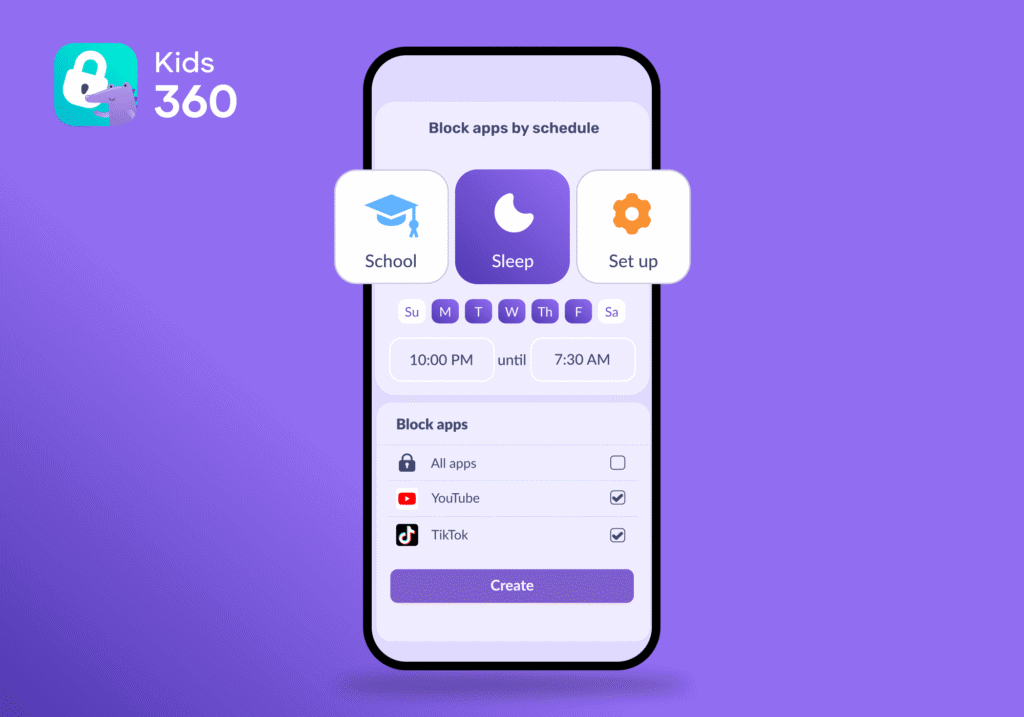
With Kids360, parents can create schedules that automatically restrict phone use during specific hours. For example, a parent can set a school-time schedule that starts before the first lesson and ends when the school day is over.
This means parents don’t have to remember to block apps every morning. The restrictions take effect automatically, helping keep games, social media, and other distractions out of reach during class.
Limit Games and Social Media
Kids360 lets parents set time limits for individual apps. Once the allowed time is used up, Kids360 automatically blocks access to those apps.
For example, a child can have access to educational and communication apps while games and entertainment apps are limited during the school day. This helps separate apps they need from apps that can wait until after school.
Block a Distracting App When Necessary
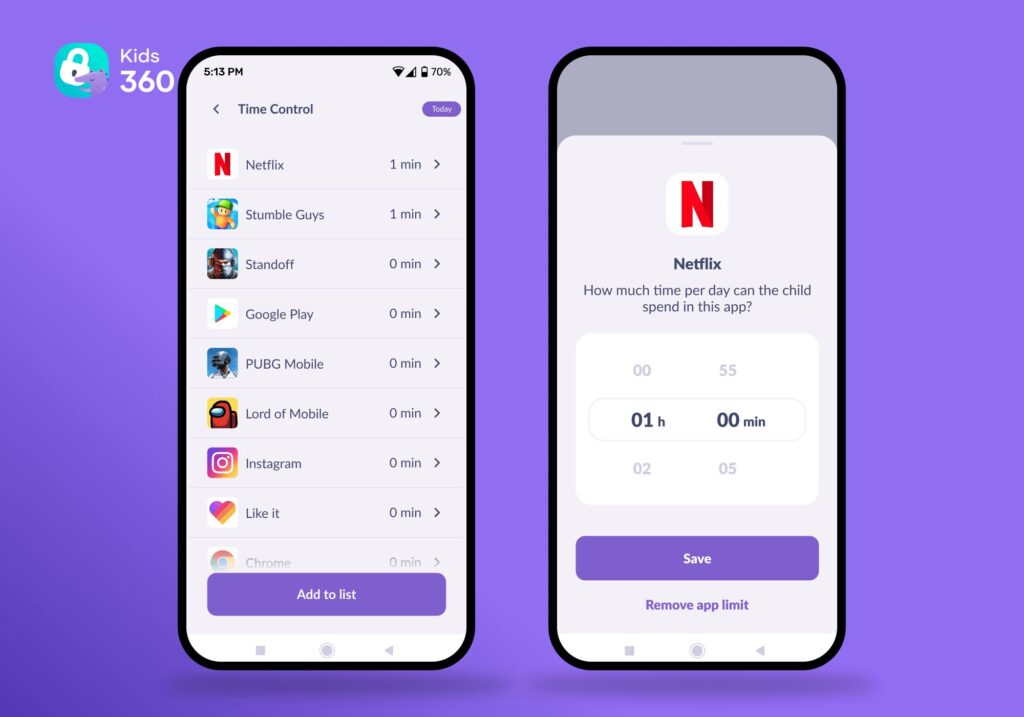
If one app repeatedly causes problems, Kids360 allows manual blocking. This may help when ordinary limits are not enough or when a new game begins interfering with learning.
Instantly Block Distracting Apps
Kids360 also lets parents block all apps with a single tap, while keeping a selected list of essential apps available. This can be useful when a child needs to put the phone away and focus—for example, during class, homework, or another activity where distractions should be minimized.
Set a Daily Screen-Time Limit
Kids360 allows parents to set an overall daily screen-time limit. When the allowance is used, restricted activity becomes unavailable while essential communication apps remain accessible.
This can prevent school-time access from becoming part of a much larger daily screen habit. Families can decide how much phone use is reasonable after considering homework, sleep, hobbies, and the child’s age.
See Where the Child’s Screen Time Goes
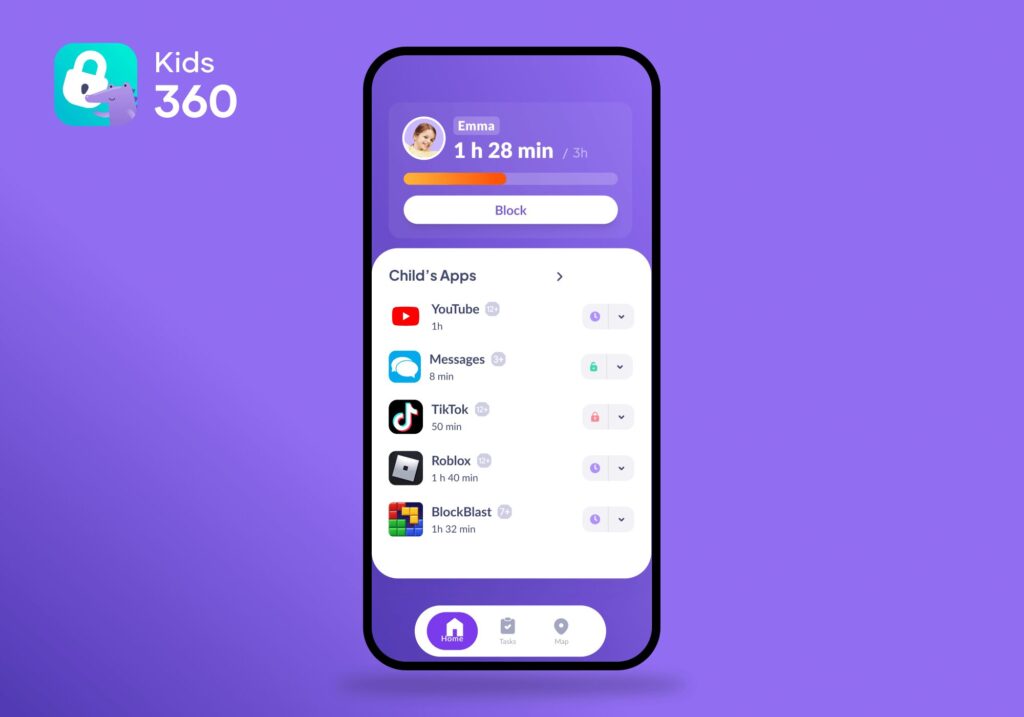
Kids360 provides App Usage Statistics that show how much time a child spends on their phone and which types of apps take up the most screen time.
This gives parents something more useful than simply telling a child to “use their phone less.” If a child is spending a large part of the day on games or social media, parents can see the pattern and adjust their Kids360 limits or schedules accordingly.
Give Children More Responsibility With Tasks
Kids360 can also connect screen-time access with tasks. Parents can create tasks for things such as homework, chores, or other responsibilities and use them as part of the child’s daily routine.
This can make phone restrictions feel less like a punishment and more like a clear system: responsibilities first, screen time afterward. It also gives children a more active role in managing their own phone use.
How to Set Up Kids360 for the School Day
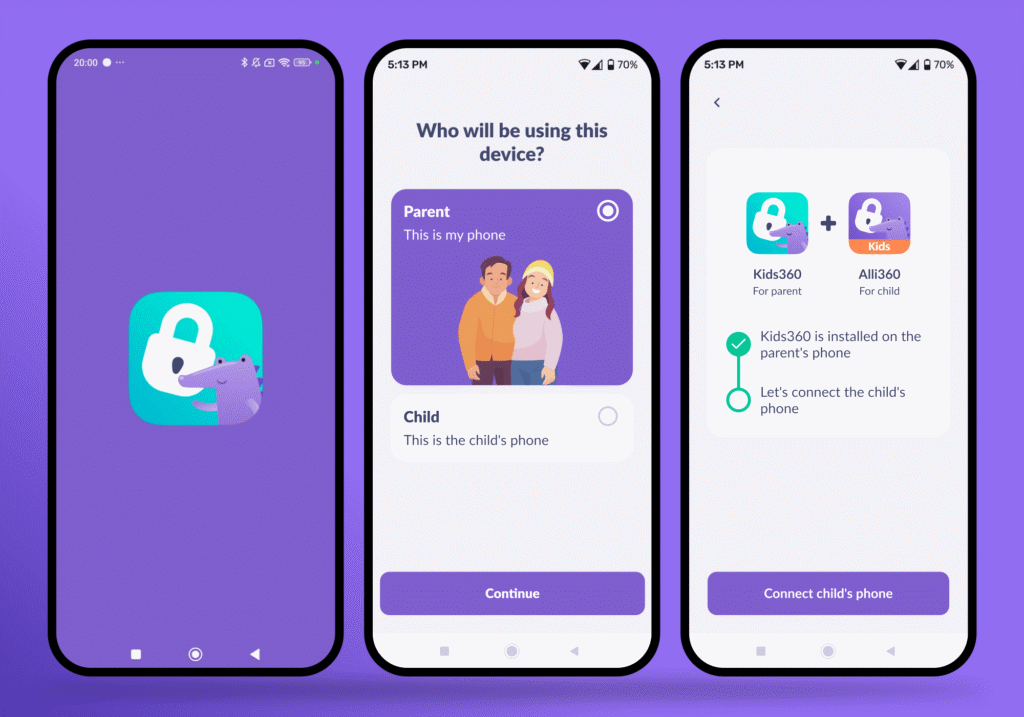
Parents can create a basic school setup in a few steps:
- Install Kids360 on the parent’s phone.
- Install Alli360 on your child’s phone.
- Connect the two apps by entering the linking code from Kids360 into Alli360 on the child’s device.
- Allow the required permissions on the child’s device so Kids360 can manage screen time and app restrictions.
- Create a school-time schedule in Kids360 and choose when it should start and end. During this time, selected games, social media, and other distracting apps can be restricted automatically.
- Set time limits for individual apps if you want your child to have limited access to them outside the scheduled school hours. Once the limit is reached, access to the app is blocked.
- Choose the apps that should remain available so your child can still use essential communication and other allowed apps.
- Check usage statistics after the first few days to see how your child is using their phone and adjust the rules if necessary.
This setup allows parents to support classroom rules without making the device completely unavailable. Families can try Kids360 for free right now and build a routine that keeps the useful parts of technology while reducing distraction!
Should Children Have Their Phones at School? A Guide by Age
The right level of access changes as children grow. Age matters, but maturity, transportation, a medical condition, and the school policy should also shape the decision.
The table below offers a starting point rather than a fixed rule for every child.
| Age or stage | Suggested approach | Main focus |
|---|---|---|
| Ages 7–9 | Keep the phone stored unless it is needed | Family contact and simple rules |
| Ages 10–12 | Allow controlled access at agreed times | School routines and responsibility |
| Middle school students | Use schedules and review cellphone use together | Self-control and digital citizenship |
| High school | Increase freedom as responsible use improves | Independence and preparation for today’s world |
Younger kids usually need clearer limits and more adult involvement. Middle school students may be ready to understand reports and help shape reasonable rules. High school students need opportunities to practice independence, but that does not require unrestricted access throughout class.
If a child needs to carry a phone to school but does not need unrestricted access to it, Kids360 can help parents put these boundaries into practice.
At the same time, parental controls should complement school rules, not replace them. Many schools have their own policies for when and where students can use phones, and these rules may differ by age group. Parents should check the school’s policy before sending a device and make sure their Kids360 settings support rather than conflict with classroom expectations.
Controlled Access Can Offer a Better Balance
There are good reasons why phones should be allowed in schools, but there are equally strong reasons to restrict their use during lessons. Cell phones can support safety, communication, learning, and accessibility, while unrestricted access can create distraction, cheating, conflict, and extra work for teachers.
For many families, the better approach is not to choose between unrestricted phone access and a complete ban, but to set clear boundaries around when and how a child can use the device. School policies should define what is allowed in the classroom, while parents can reinforce those boundaries outside the school’s direct control.
Kids360 can help parents put this approach into practice by scheduling school-time restrictions, setting app limits, reviewing usage, and keeping selected essential apps available. The goal is not to remove phones from children’s lives, but to make sure the device supports safety and communication without becoming a constant source of distraction.
Sources and References
- Smartphones in school only when they clearly support learning, UNESCO, 2023
- A Look at State Efforts to Ban Cellphones in Schools and Implications for Youth Mental Health, KFF, 2025
- UNESCO Global Education Monitoring Report 2023, UNESCO, 2023
- Digital devices, distraction, and school policies, OECD, 2023
- Free to Focus, South Carolina Department of Education, 2024
- Cell phone survey results, South Carolina Department of Education, 2024
- Assistive technology guidance, U.S. Department of Education, 2024
- Bullying and cyberbullying, SchoolSafety.gov, 2024
- Digital citizenship, ISTE, 2024
- Ill Communication: Technology, distraction & student performance, ScienceDirect, 2016
- Smartphone Use Type, Fear of Missing Out, Social Support, and Smartphone Screen Time Among Adolescents in Korea: Interactive Effects, PubMed, 2022