
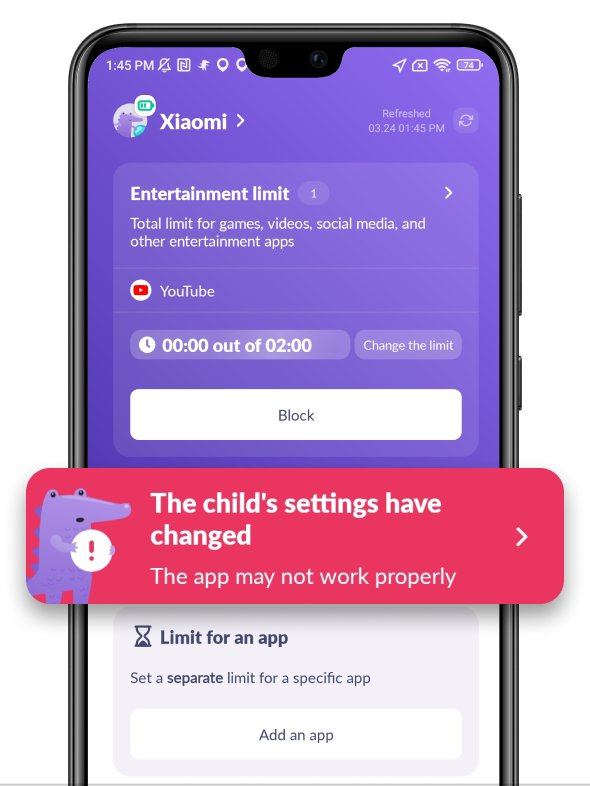
If you often get false notifications about your child changing app settings, it means that your child’s phone closes Alli360 in its storage.
That often happens with the accessibility setting.
To fix that:
Check if there are available updates on Google Play or App Gallery
Restart your phone and your child’s phone
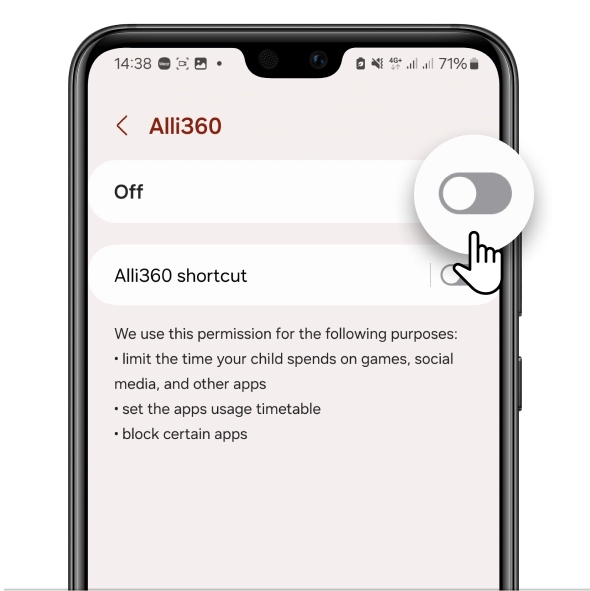
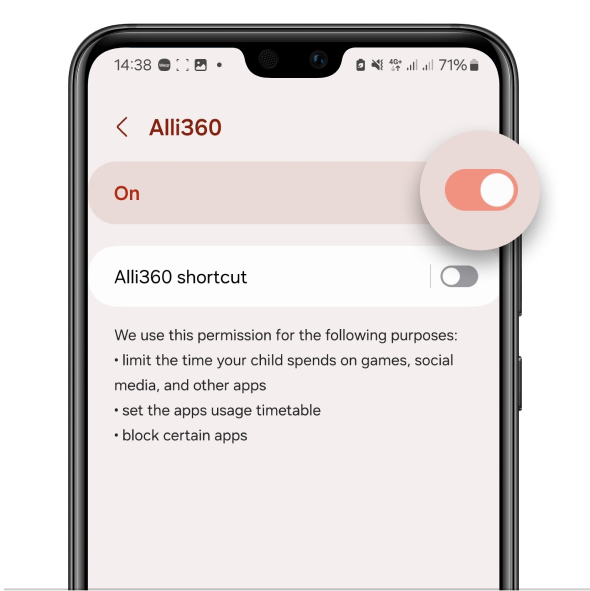
If Alli360 doesn’t recognize that accessibility is on, turn the setting off and then on again
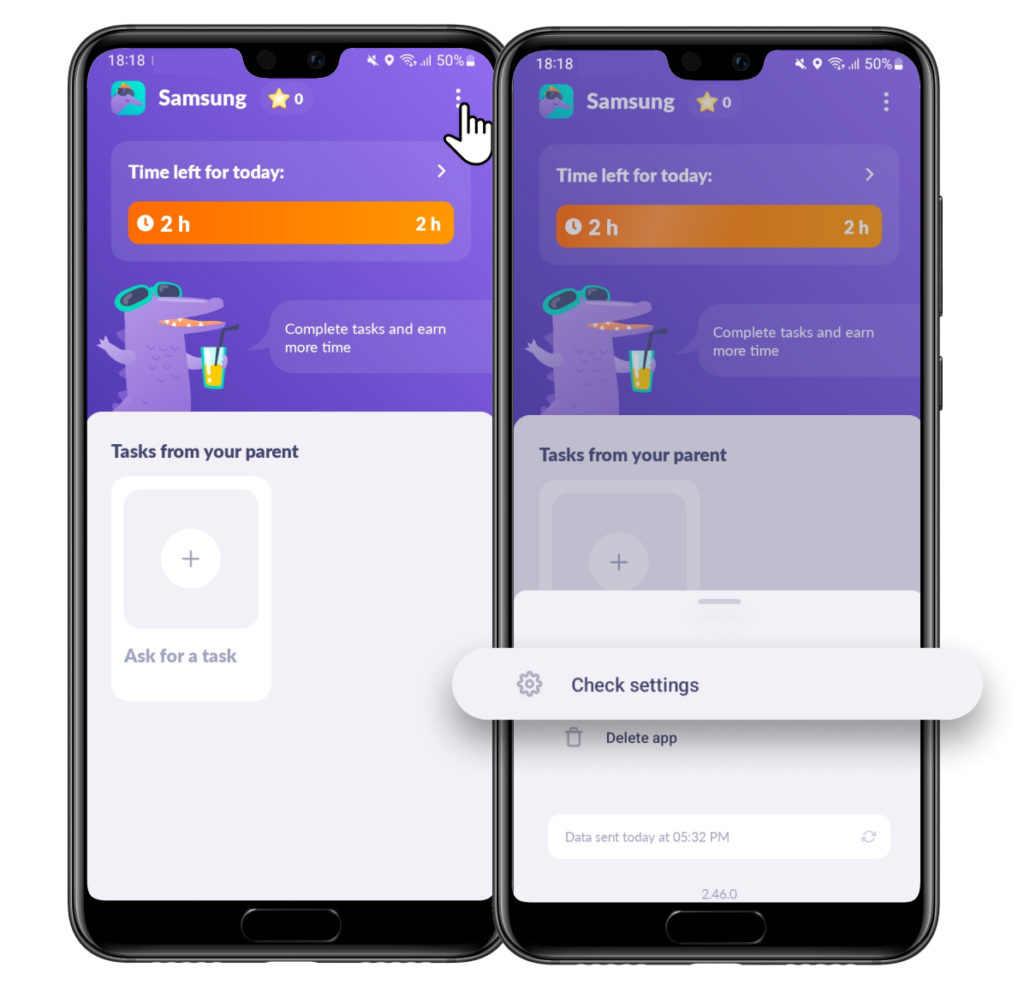
For that, open Alli360 on your child’s phone
Tap three dots in the right lower corner and choose Check Settings
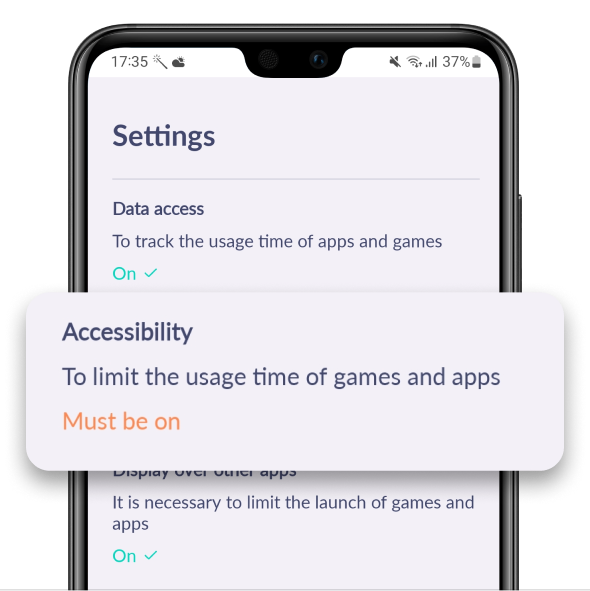
Choose Accessibility
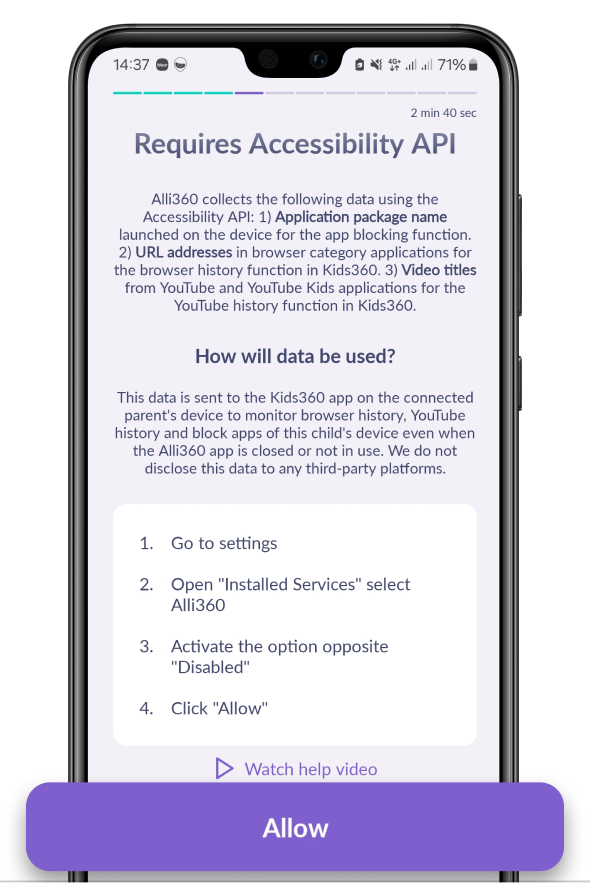
Tap Allow
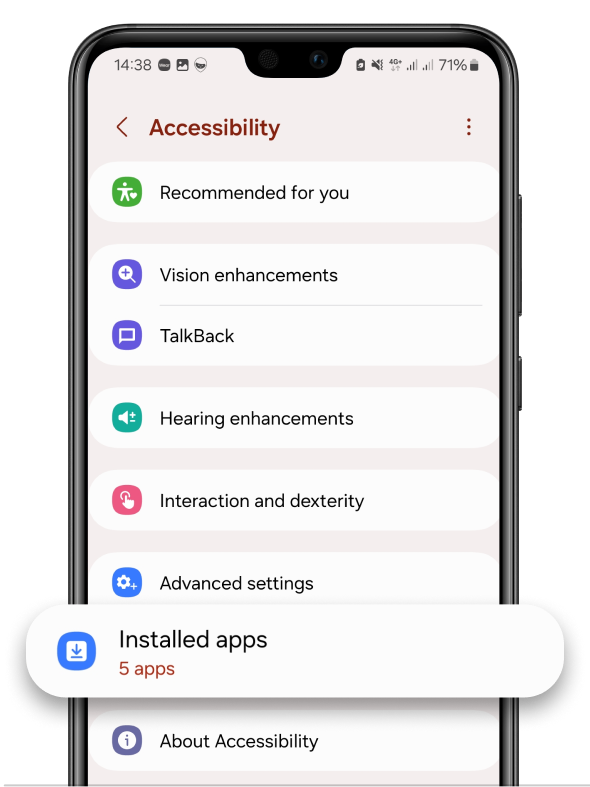
Choose Installed Apps or Installed Services
In the list of apps choose Alli360
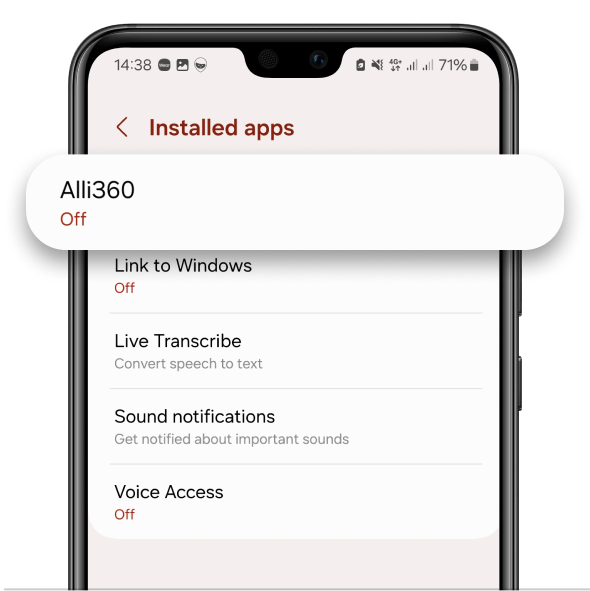
Turn the slider on
If the problem still persists, contact us in the chat support.
Was it helpful?
Chat is unavailable right now. Please try again later.



