You can cancel the subscription on your phone, just follow our tips below:
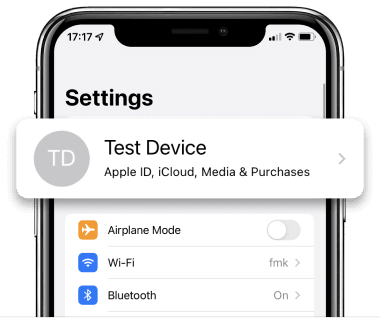
Open “Settings”

Tap your name
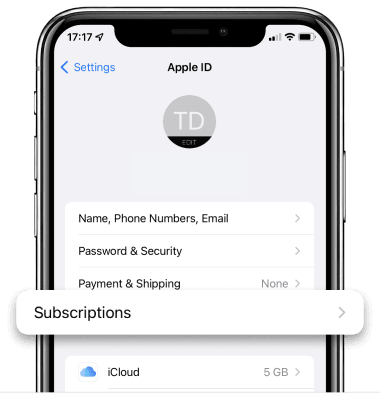
Choose “Subscriptions”
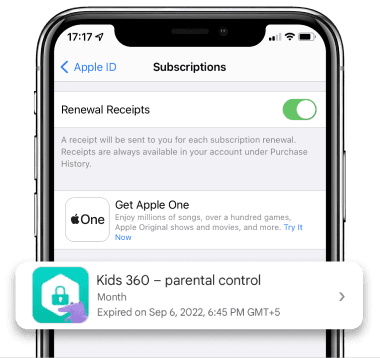
Choose the Kids360 subscription
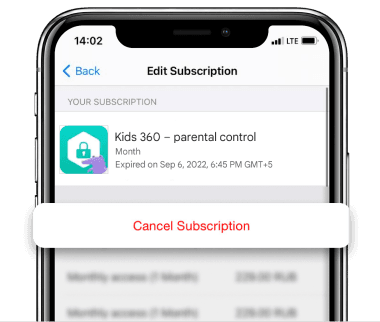
Scroll down and tap “Cancel subscription”

You can cancel the subscription on your phone, just follow our tips below:
Open “Settings”
Tap your name
Choose “Subscriptions”
Choose the Kids360 subscription
Scroll down and tap “Cancel subscription”
Our support team is happy to help
Chat is unavailable right now. Please try again later.