
The Tasks feature is the way to involve your child in doing chores and something interesting for them through play. Tasks can also help to develop your child’s independence.
By completing tasks, your child can get extra time for games and apps.
You can create your own tasks or turn on tasks from the app. Your child will be able to do math, logic, and memory exercises.
You can use the feature like this:
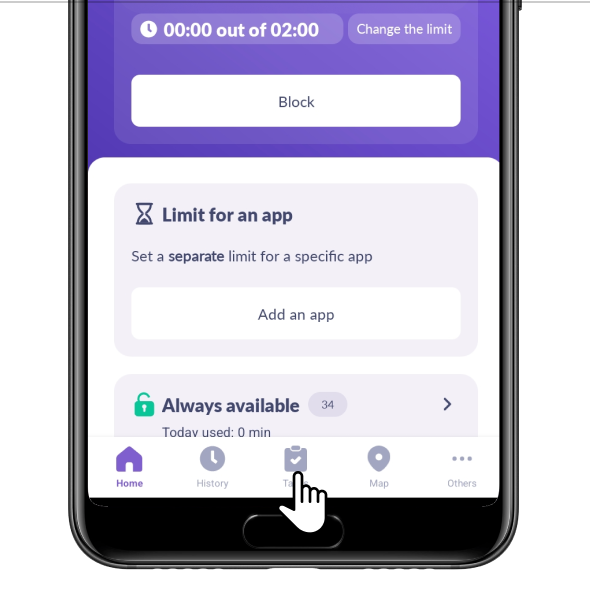
Choose Tasks
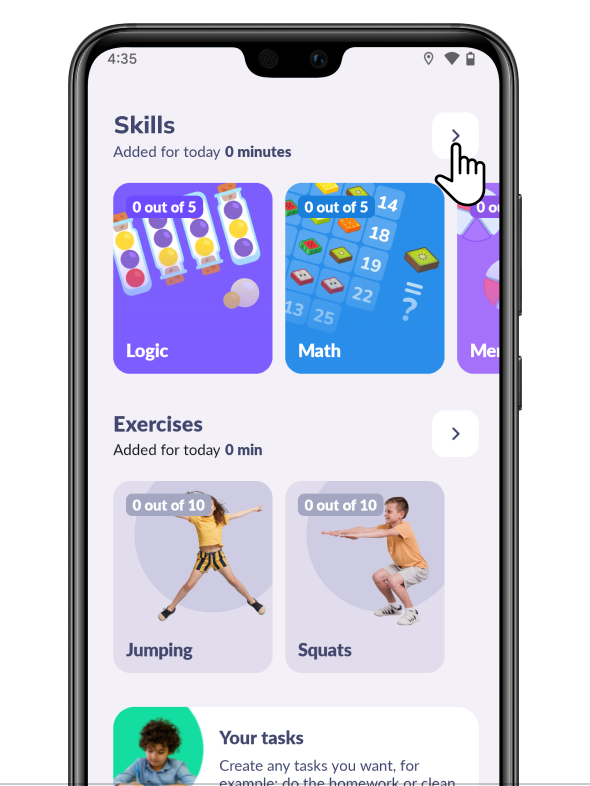
You’ll see types of tasks. Tap the arrow to manage them
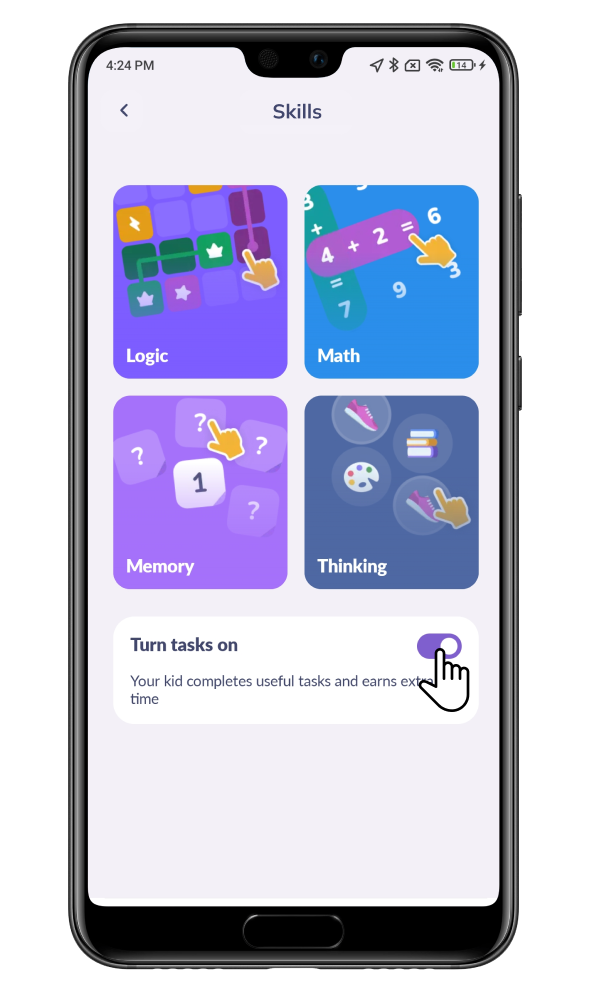
In the Development tab you can change the tasks difficulty. The next day, your child will get new types of tasks.
Your child can get 5 minutes per task, up to 20 minutes daily.
Your child will receive minutes automatically without a parent’s confirmation.
Here you can also turn these tasks off
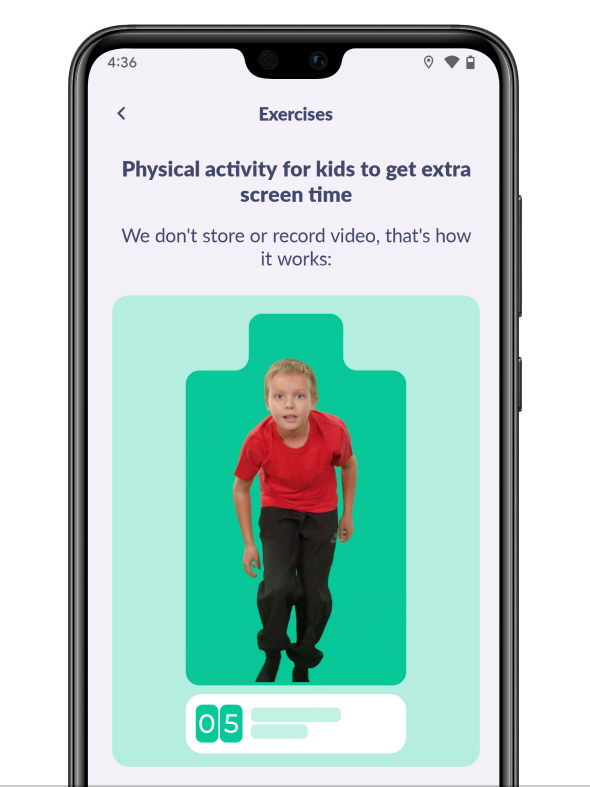
The Exercises tab stores physical activity tasks such as jumping and squats.
Your child can choose a task in Alli360 and record the exercise on video. We do not store or record videos.
They can get 5 minutes for each exercise—maximum 10 minutes per day.
You can create your own tasks. Tap Create a Task
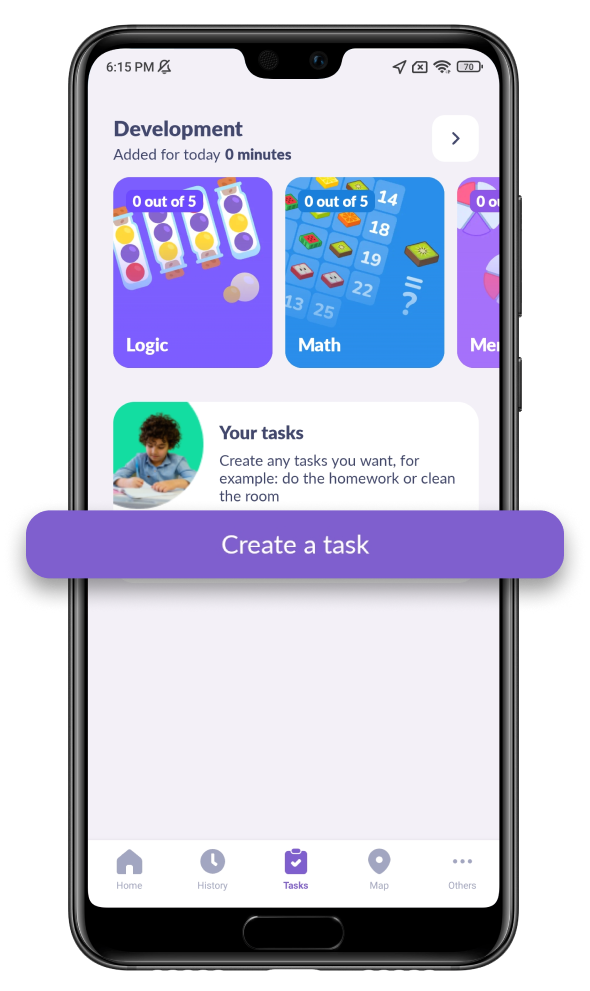
You can choose a task and how many minutes your child will get
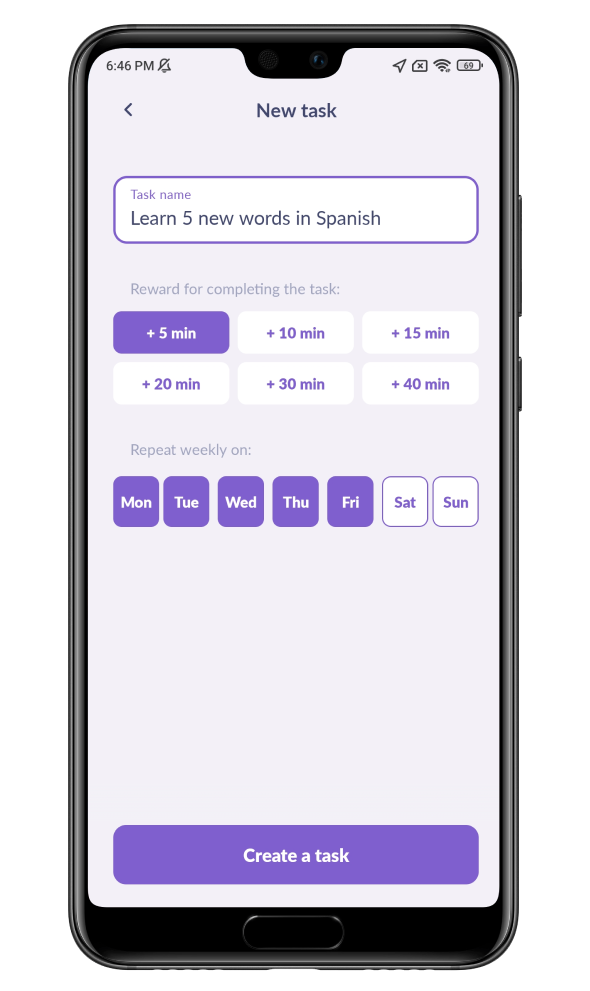
You can choose days of the week, and the task will repeat.
If you want to make a onetime task, uncheck all the days.
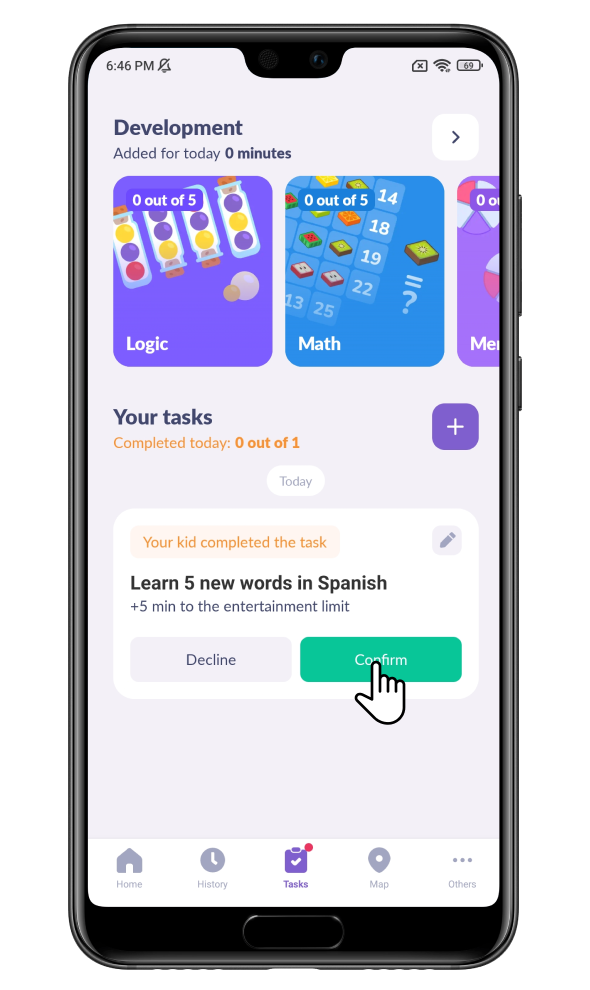
Your child will receive minutes only after your confirmation.
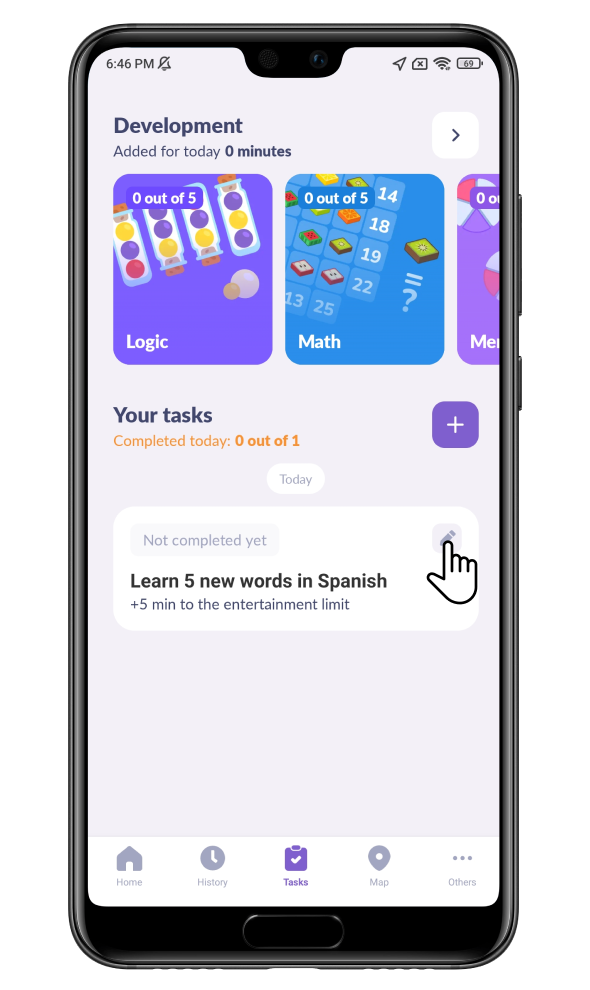
To change or remove a task, tap the pencil icon
Was it helpful?
Chat is unavailable right now. Please try again later.



