
Kids360 has a blacklist containing more than 4 million URLs. These websites are considered inappropriate for children and include topics such as pornography, gambling, violence and hatred. We update this list every week.
Open Kids360 on the parent’s device
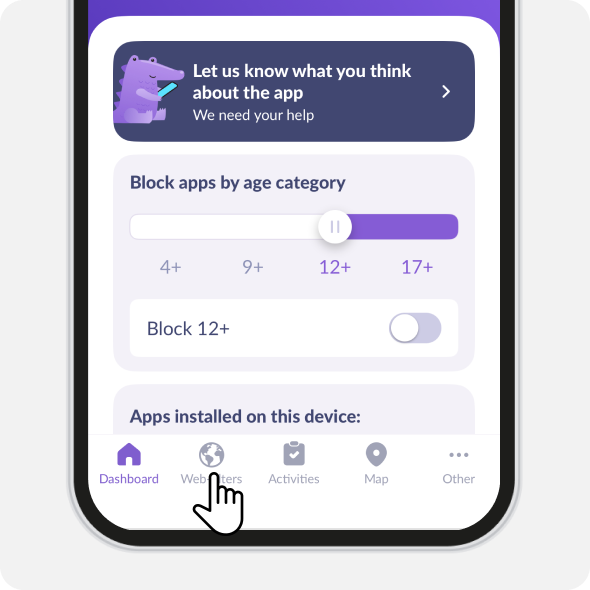
Choose Web-Filters
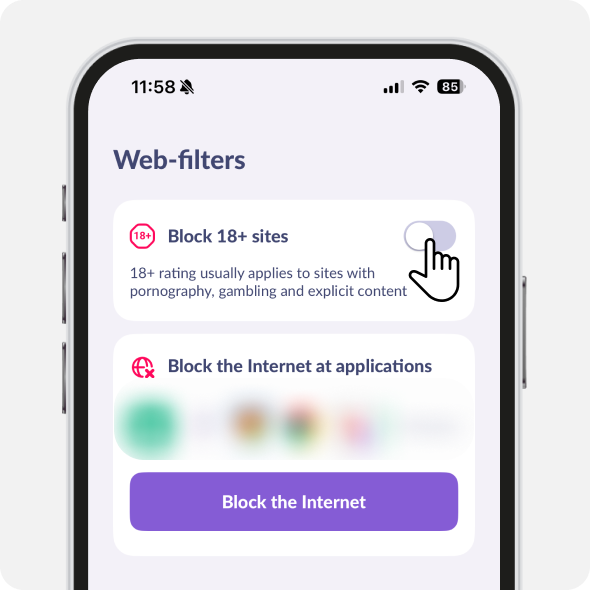
Turn on the slider.
Tap Block the Internet to restrict the Internet for apps
If 18+ websites on your child’s device are still available, try checking the following:
Open Settings on your child’s iPhone or iPad

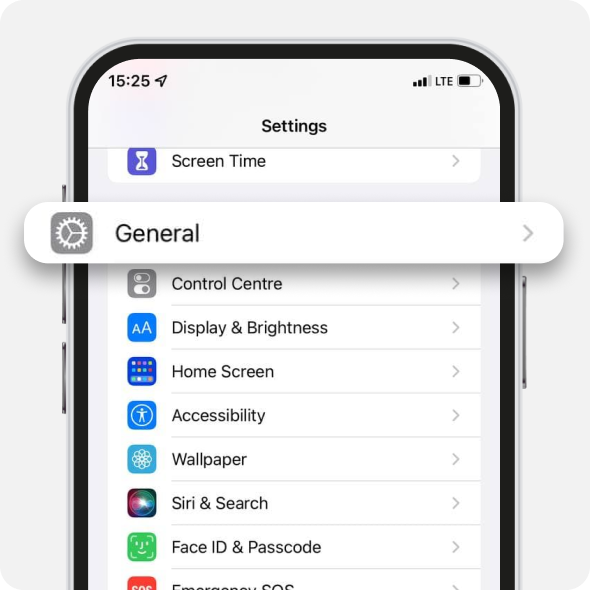
Choose General
Open VPN & Device Management
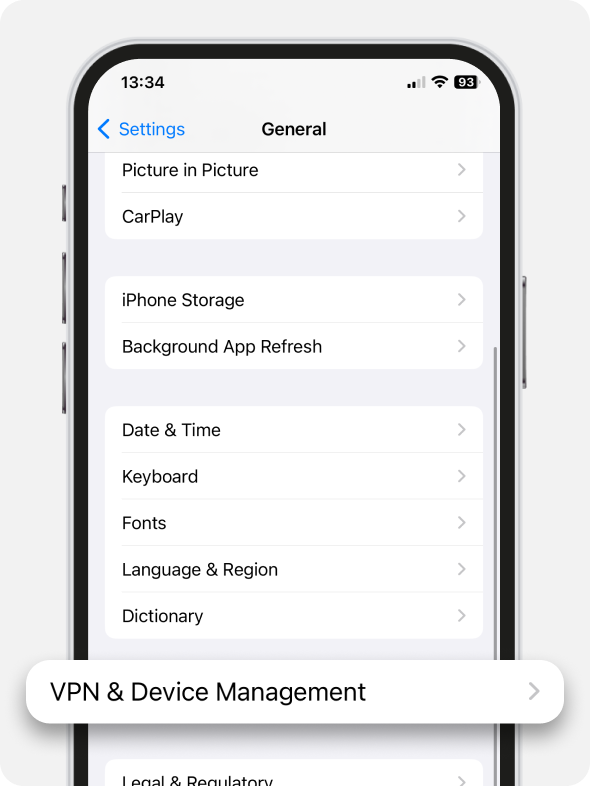
Check the Mobile Device Management tab.
The Kids360 MDM profile should be installed here
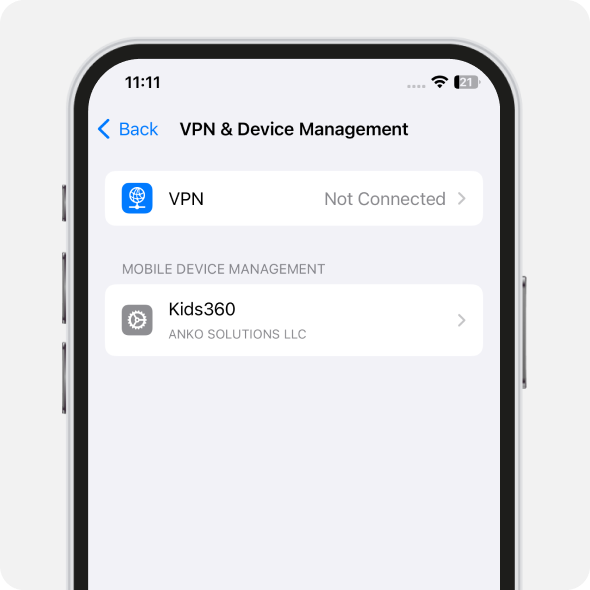
Go back to phone settings. Choose VPN
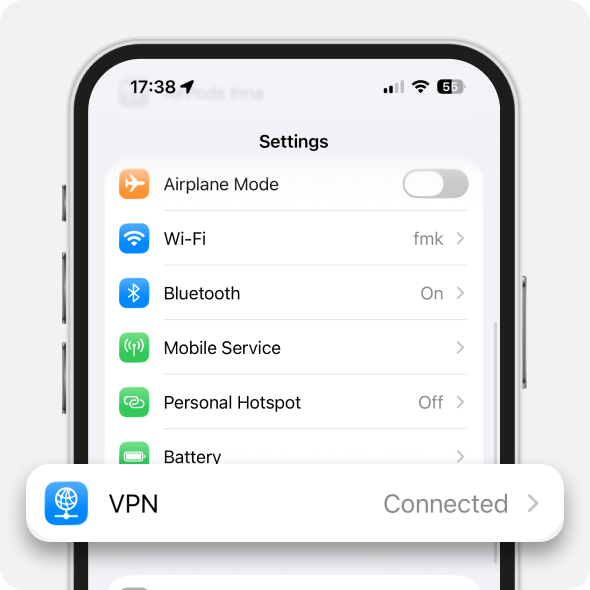
Check if VPN is on.
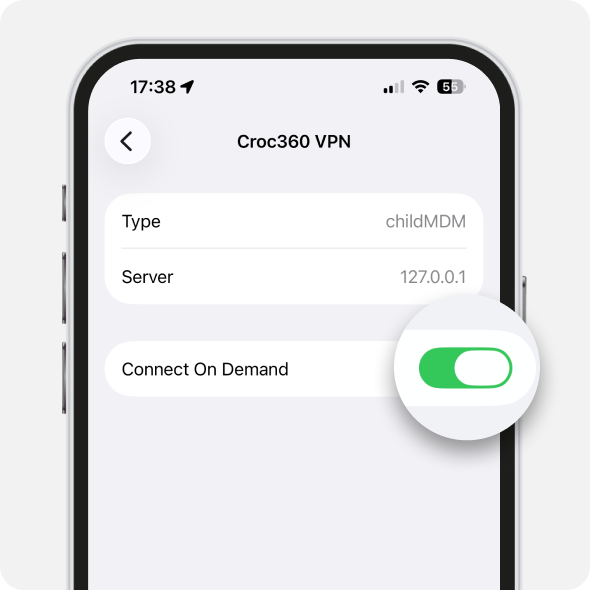
Then tap Croc360 VPN
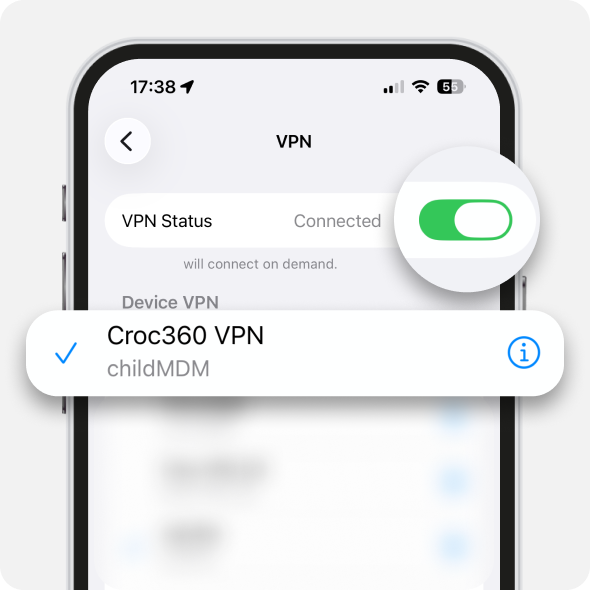
Turn on Connect on Demand
If you can’t see the MDM profile, remove the Alli360 app
Install Alli360 on your child’s phone again and add it to Kids360 one more time.
You can find the code like this:
1. Open Kids360 on the parent’s phone
2. Select Other
3. Tap Family
4. Tap Add Child. You will see the code that you need to enter in Alli360
Set a new name for your child’s new account so it’s different from the old one.
For example, if your child’s name was “Daughter”, set the new name as “My daughter”.
After that, grant all the permission for Alli360. Web-Filters will work again.
Was it helpful?
Chat is unavailable right now. Please try again later.



